How to create a website for events
Programme, tickets, FAQ and updates for conferences, concerts, courses and workshops with a dedicated landing.

A website for events — a conference, a concert, a course, a workshop, a sector fair — concentrates in a single place dates, the programme, speakers, tickets and last-minute updates. It must work impeccably on mobile and stay simple to update until the day of the event and beyond, with a recap and a teaser for the next edition.
This guide covers structure, honest urgency, integrations, SEO, continuous communication and publication without stress. Whether you organise a local event in Tuscany or a national format, the principle is the same: clarity, speed, trust.
Why a dedicated page beats social alone
Posts and stories disappear in the feed; links in bio change; algorithms limit reach. An events site (or an event landing linked to the organiser’s business site) offers:
- a stable URL to share in email, press releases and QR codes;
- a complete programme always updated;
- a registration form or a trackable ticket link;
- an FAQ that reduces repetitive emails;
- an SEO base for “event name + city + year” searches;
- a post-event archive with photos, videos and a call for the next edition.
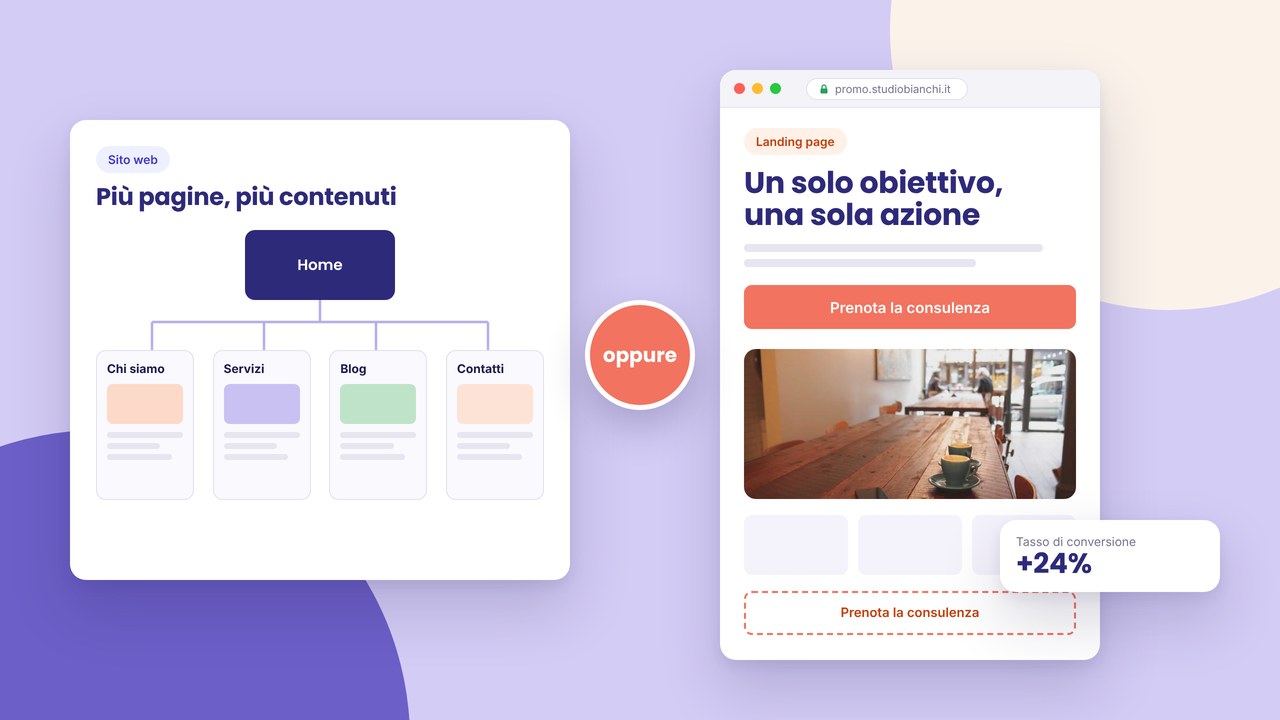
For targeted promo campaigns add an effective landing page with a single message; for recurring formats consider multi-page vs one-page with a “Past editions” section.
What to include in the event site
Hero: date, place, tickets CTA
At the opening: the event name, date and time, city and venue, an “Buy a ticket” or “Sign up” button above the fold. An optional countdown if the deadline is real — never fake timers.
Programme and agenda
A table or a timeline by day: sessions, times, rooms. Update in real time if speakers or the room change. For multi-track workshops, filters or anchors for mobile.
Speakers, artists, presenters
A photo, name, role, a short bio, a social or site link. It increases credibility and shareability. For music events: a lineup with order and set times.
Tickets and registration
Eventbrite, Ticketone, HelloTicket integration or a form + your own payment. Clear prices (early bird, standard, VIP), what each tier includes, a refund policy in the FAQ.
Place, maps, parking, hotels
An interactive map, transport indications, parking, partner hotels if they exist. Fundamental for visitors from outside the city — connect local SEO if the event is territorial.
Sponsors and partners
Logos with links, sponsor tiers (main, gold, media partner). A press page with releases and downloadable assets if you expect coverage.
FAQ
Disabled access, dress code, what to bring, refunds, streaming if hybrid, a photo/video policy. It reduces load on email and social.
Organisation contacts
A dedicated email, a short form for sponsors and the press. Expected response times.
Countdown, urgency and post-event
Urgency works if it is true:
- “Early bird until 15 March” — with a date that then disappears or updates;
- “Limited places in room A” — only if the room has a real capacity;
- a registration progress bar — only with honest data.
Timers that reset on every visit damage trust and can violate commercial rules. Better to communicate deadlines and partial sell-outs clearly.
After the event:
- update the hero with “Event closed — thank you!”;
- a photo gallery or a replay video link;
- a “Notify me for 2027” form;
- links to recap articles or the organiser’s portfolio.
Technical integrations
Test the complete flow from a smartphone:
- a tickets CTA click → an external checkout or a form;
- a ticket or registration confirmation email;
- a calendar (.ics) “Add to calendar” if possible;
- social sharing with Open Graph (an event image, title);
- a sponsor form with file upload if required.
HTTPS obligatory; payments only on certified providers. Privacy and cookies if you track campaign analytics — HTTPS and GDPR cookie banners.
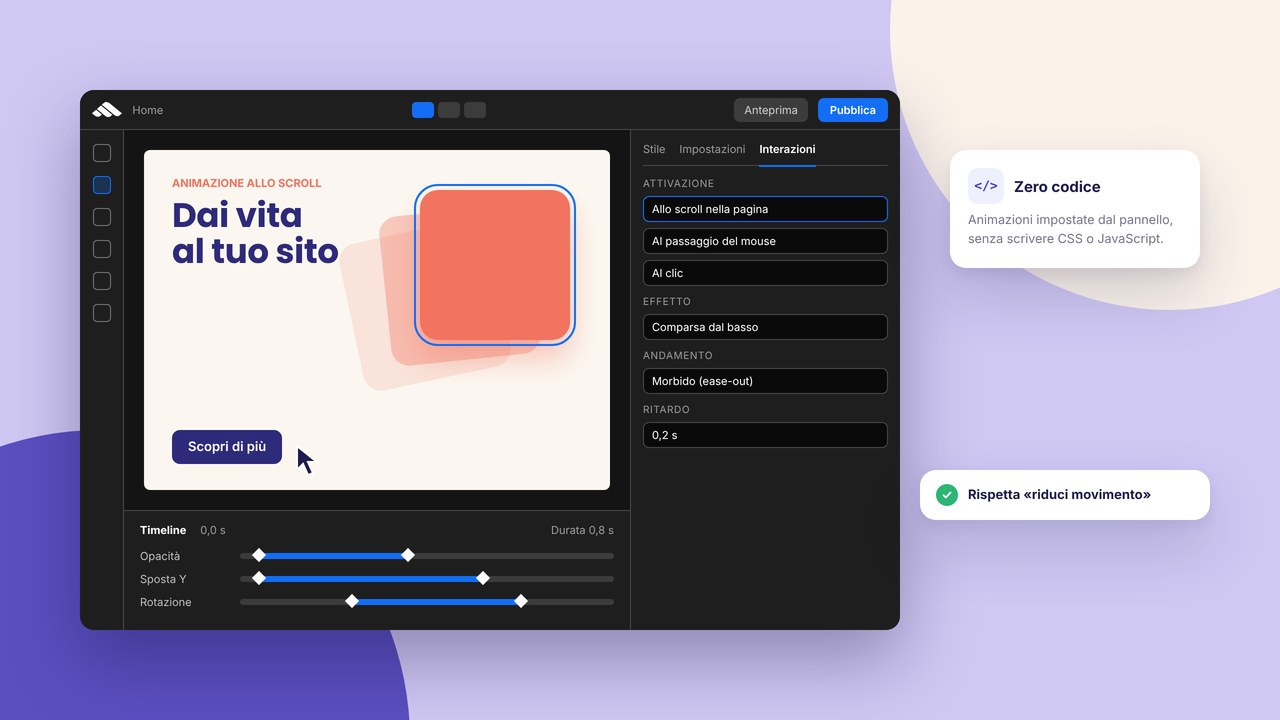
Light animations on a timeline or a speaker reveal: interactions without code, without blocking loading.
Continuous communication: news and updates
A “News” section or a home banner for:
- a new confirmed speaker;
- a room or time change;
- last-minute weather or logistics indications;
- a live streaming link on the day itself.
Email and push remain useful, but the site is the official source — always link it. Reusable banner components speed up updates: reusable components.
SEO and the event launch
Typical targets: “conferenza [tema] [città] [anno]”, “biglietti [nome evento]”. Optimise:
- a meta title with name + city + year — a meta tag guide;
- a unique H1, H2 sections for programme, speakers, tickets;
- useful descriptive text (not only a bare agenda);
- images with alts (“Keynote Mario Rossi — Conferenza XYZ 2026”);
- internal links from the organiser’s site and related blogs.
Avoid common mistakes: thin pages, duplicated titles between editions — brochure SEO mistakes. Post-launch, a 15-minute SEO audit.
For food-and-wine events or in a restaurant venue, connect the location partner’s restaurant site.
Step by step: from the idea to a live site
- The event sheet — dates, venue, capacity, pricing, goals (tickets, leads, brand).
- Page architecture — event home, programme, speakers, tickets, FAQ, press contacts.
- Content — copy, speaker photos, sponsor logos, legal terms.
- Design — an events template from templates, a brand consistent with past editions.
- Integrations — ticketing, forms, payments, analytics with consent.
- On-page SEO — title, description, structured data if available.
- Mobile testing — CTA, checkout, maps, FAQ anchors.
- Communication — the URL in email, social, QR; campaign UTMs.
- Go-live — the go-live checklist, publication in 10 steps.
- Monitoring — sales, registrations, FAQ questions to integrate.
- Post-event — a recap, a gallery, a waiting list for the next edition.
How much it costs and timings
A single-edition event site can be lean (a rich one-page + external ticketing); an annual format with an editions archive costs more. Budget references in how much a website costs in 2026 and costs and timings in Prato.
SME organisers in Tuscany: building a website for SMEs. Do not confuse an event template with ready content — beyond the template.
If you sell merchandise or a partner catalogue, consider an online product catalogue section.
Common mistakes on event sites
- Obsolete information — an old programme on the day of the event.
- A barely visible tickets CTA on mobile.
- An untested external checkout — errors on the day of the promo launch.
- False urgency — a reset timer, a permanent “only 2 places”.
- Absent FAQs — a flooded inbox.
- Only a PDF programme — not mobile, not SEO.
- No post-event plan — a site abandoned for months.
- Speakers without a bio/photo — little care is perceived.
- Wrong maps or address — late arrivals and discontent.
- Tracking without GDPR — a legal risk on paid campaigns.
A checklist for an event site ready for launch
- Correct date, time, timezone and venue in the hero.
- A tickets/registration CTA working from mobile.
- A complete programme with times and rooms.
- Speakers/artists with a photo and a bio.
- Clear prices and ticket tiers; a link to the terms of sale.
- FAQs on access, refunds, parking, dress code.
- A tested map and indications.
- Sponsors and press contacts.
- Meta title/description with event + city + year.
- HTTPS, privacy, a cookie banner if analytics.
- Open Graph for social sharing (a 1200px image).
- A news-update plan until the event day.
- A post-event plan (recap, gallery, next edition).
Frequently asked questions (FAQ)
A dedicated site or a section in the company site?
A large event or its own brand: a dedicated domain or subdirectory (evento2026.it or /evento-2026). A small internal workshop: a section + a promo landing can be enough.
Do I have to manage payments on the site?
Often no: ticketing platforms manage PCI and refunds. Your own payment only with adequate skills and compliance.
How do I manage multiple editions?
A “Past editions” archive, annual URLs (/2025, /2026) or a canonical redirect on the current edition. Avoid duplicate content between years.
A hybrid event (live + streaming)?
A dedicated FAQ, an access link only after registration, a streaming test beforehand. “Online” vs “in person” ticket tiers.
How far in advance should I publish the site?
Ideal 2–4 months before for early bird and SEO; a minimum of 4–6 weeks with an already credible programme. Update speakers as you go.
Is a blog needed besides the event site?
Useful for speaker interviews and long-tail SEO; link articles to the event site with a tickets CTA.
A QR code on the site?
Generate a QR towards the event URL for posters and paper tickets; check that it points to the correct mobile version.
Event typologies: adapting structure and tone
A B2B conference emphasises a parallel-track agenda, networking, sponsors and an early-bird registration CTA. A concert puts the lineup, genres, age limits and ticket tiers. A training course requires a module programme, certifications, prerequisites and included material. A wedding or a private event (a venue open day) points to a gallery, capacity, packages and a quote form. The base structure (date, place, CTA) stays; programme depth, social proof and payment integrations change.
Synchronised multichannel communication
Email, a newsletter, LinkedIn, Instagram and press releases must point to the same official URL. Use UTM parameters to distinguish sources without duplicating pages. A QR on posters and speaker badges → the event home with a programme anchor. Avoid a programme PDF as the only source: always link the updatable web version. If you use a WhatsApp community, pin a message with the site link for last-minute changes.
Security, privacy and participant data
A registration form: collect only necessary data and indicate the legal basis and retention in a linked privacy notice. Participant lists and badges must not be exposed online. For paid events, clear terms of sale on refunds and ticket transfers. HTTPS everywhere; avoid requesting passwords or sensitive data on unprotected forms.
Hybrid events and streaming
If part of the public is online, dedicate a “Attend remotely” section: technical requirements, the time zone, an access link only after login or a confirmation email. An FAQ on whether a replay is available or not. A reduced-price “streaming only” ticket can widen reach without saturating the physical venue.
Partnerships, venue and hospitality
If the event is held in a hotel or a partner restaurant, a “How to get there” page with partner hotels and dining nearby increases satisfaction for visitors from outside the city. The venue logo and shared maps strengthen co-marketing.
Templates for recurring editions
An annual event: clone the previous-edition site, update dates, speakers, sponsors, the canonical and the current-year metas. Archive the past edition in a /2025 subdirectory with a “Current edition →” banner. Reusable hero, FAQ and sponsor-footer components speed up setup — see reusable components. For organisers with a multi-event portfolio, a hub on the business site lists upcoming dates.
Paid campaigns and satellite landings
Google Ads or Meta often perform better with a single-message satellite landing (“Early bird -30% until Friday”) that redirects to the complete site for details. Visual consistency and the same domain avoid phishing suspicions. Cookies and pixels only with consent — GDPR.
Post-launch metrics
Monitor: ticket sales by UTM source, checkout abandonment, the most visited FAQ pages (integrate answers on the home if they recur), organic searches on the event name. After the event, the open rate of the “Thank you + survey” email and sign-ups to the next-edition list. An SEO audit before the next edition cleans dead links and redirects.
A printable programme and an accessible version
Besides the web programme, offer a downloadable PDF generated from the updated content, not duplicated by hand — that way date and room stay aligned. A simple text version or well-labelled anchors help screen readers on a long agenda. For academic events, links to paper abstracts and speaker CVs on dedicated pages improve long-tail SEO.
The operations team: who updates what
Define roles before launch: marketing updates the banner and news, the programme owner edits the agenda, ticketing checks the platform link, tech checks the form and HTTPS. A shared “last edit” table avoids panic on the day itself. A site snapshot backup before major programme changes.
A checklist for the event day and D+1
- A hero with a “Today” message and an updated maps/parking link.
- Top news: any delays or room changes.
- An active streaming link if hybrid; a login test for remote participants.
- A check-in QR if planned — a test in the morning before opening.
- D+1: a thank-you, a gallery, a short survey, a next-edition CTA.
For organising SMEs in Tuscany, align the perimeter and budget with building a website for SMEs and costs in Prato. Meta tags: a meta title guide. SEO mistakes: mistakes to avoid.
How do I manage last-minute on the day of the event?
Prepare a banner or a news template to activate in one click: a delayed door opening, a room change, a streaming link. Communicate first on the official site, then email and social with the same URL — avoid contradictory versions.
Can I sell merchandise on the event site?
Yes, with a light shop section or a link to a product catalogue. T-shirts, vinyls, a ticket+t-shirt bundle increase revenue if logistics are ready.
How do I connect the event site to the organiser brand?
The organiser logo in the header/footer with a link to the business site. Font and colour consistency strengthens recognition between editions and other formats (workshops, a podcast, a blog).
Resources for first-time organisers
A first edition? Start with an essential one-page (date, a skeleton programme, a tickets CTA, minimum FAQs) and enrich it as you confirm speakers and sponsors. Better a live site updated every week than an empty mega-site launched too early. Use events templates as a base, personalise the hero and palette, then publish with the 10-step guide. If you need help on copy or integrations, a consultation avoids costly mistakes close to a sell-out.
Conclusion and the next step
A well-made website for events is the official hub of information, tickets and trust — mobile first, updatable and honest about urgency. Invest in a clear programme, an FAQ and a checkout test before pushing paid campaigns.
To deliver it quickly, sign up, choose a layout in the templates or request a consultation. Discover web services and other guides on the blog.