
01
Define the main pages
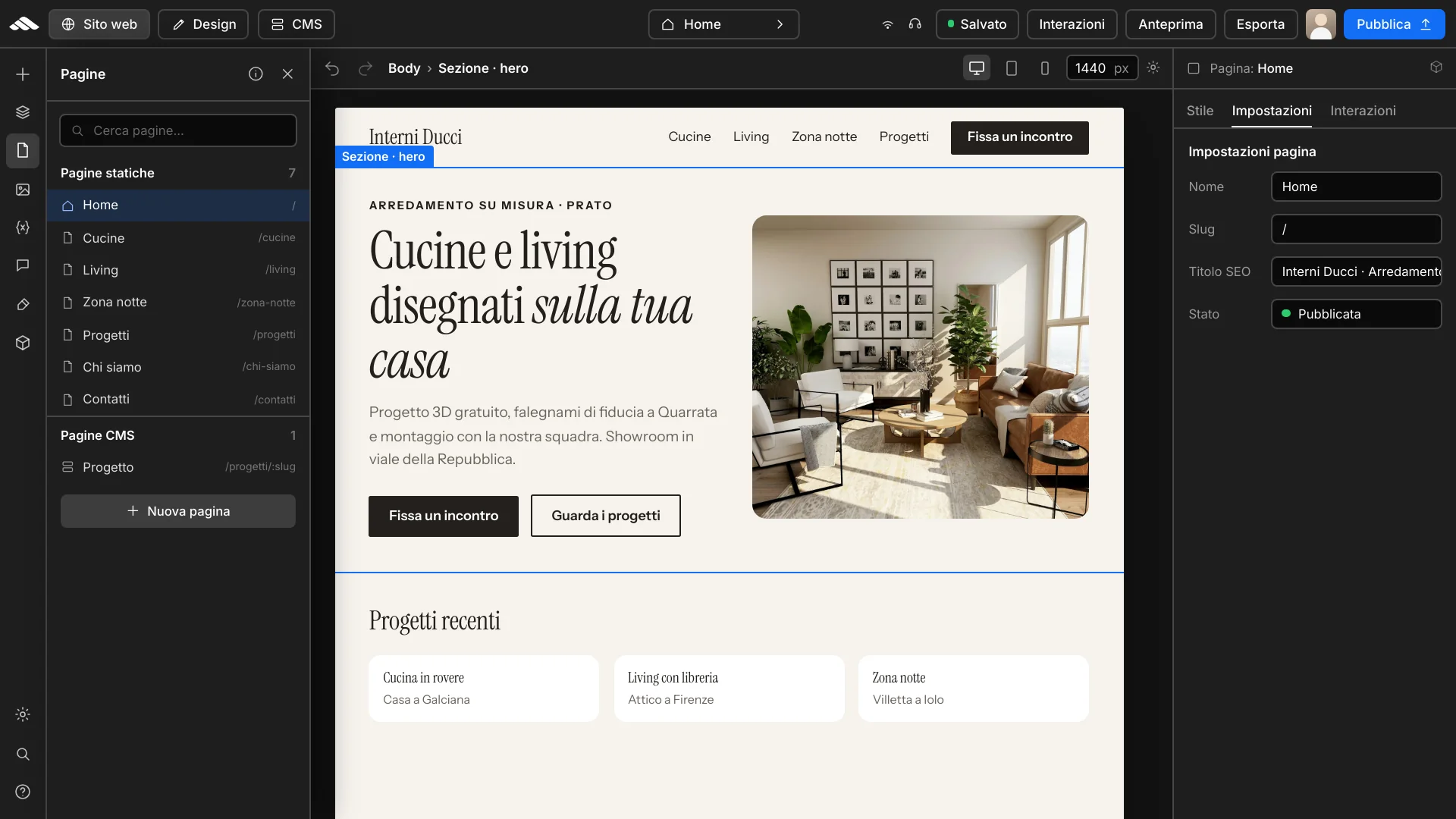
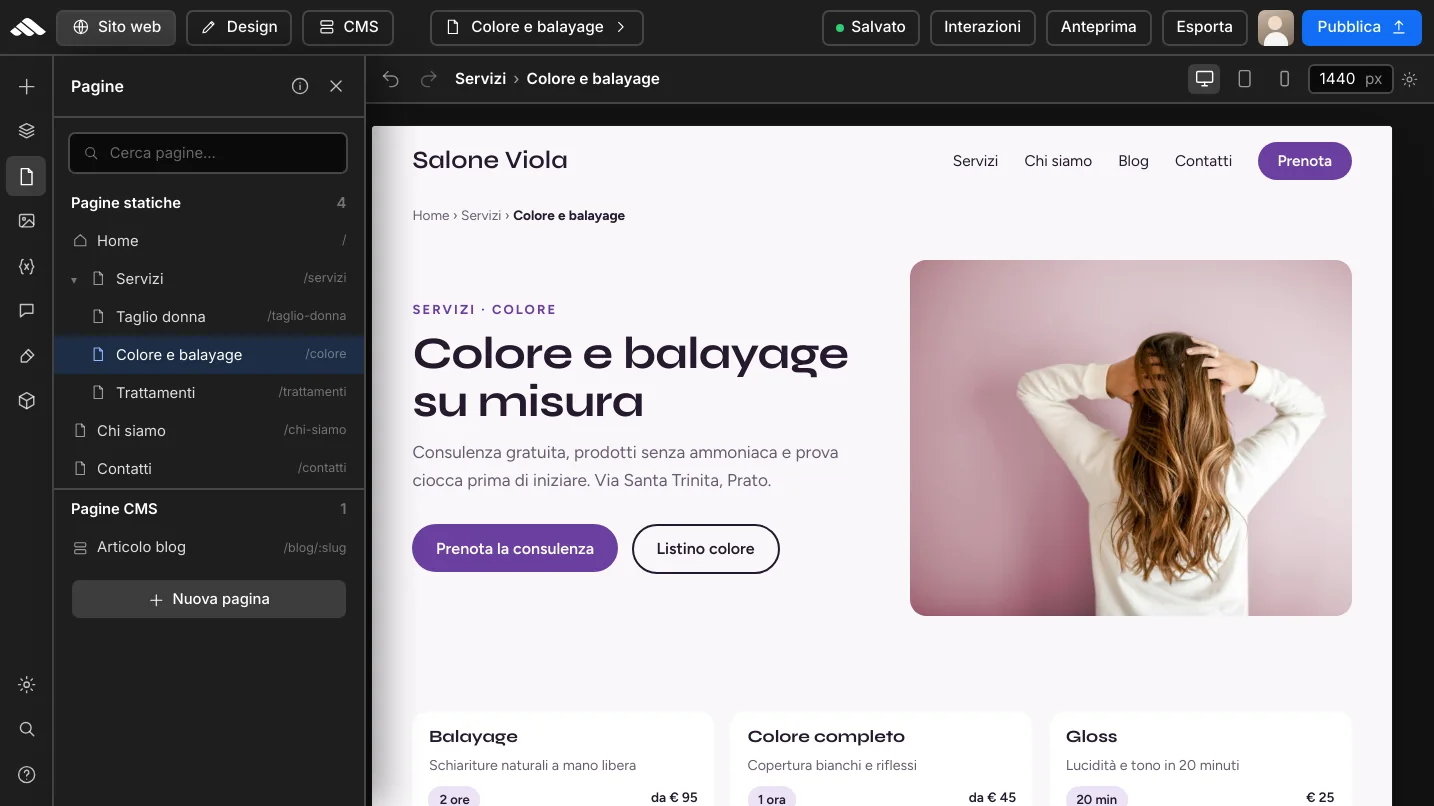
Set up home, services, and key paths in the project navigator.
Multi-page
In the Martini Francesco builder, create home, services, and landing pages in a single project: navigator, revisions, and publishing stay aligned.
Let me guide you!
Customize
Define home, services, and landing pages with an ordered page tree in the builder navigator.
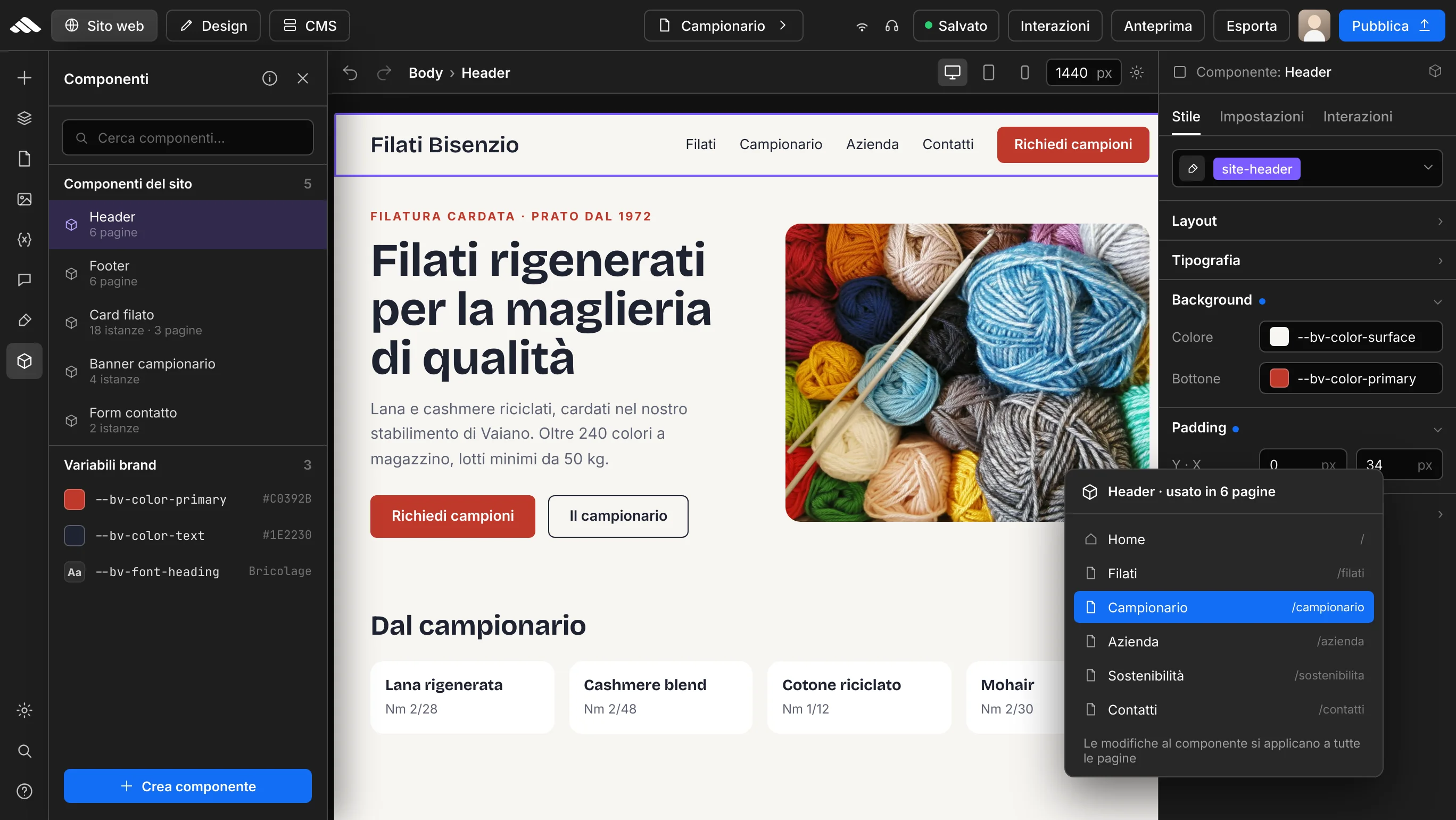
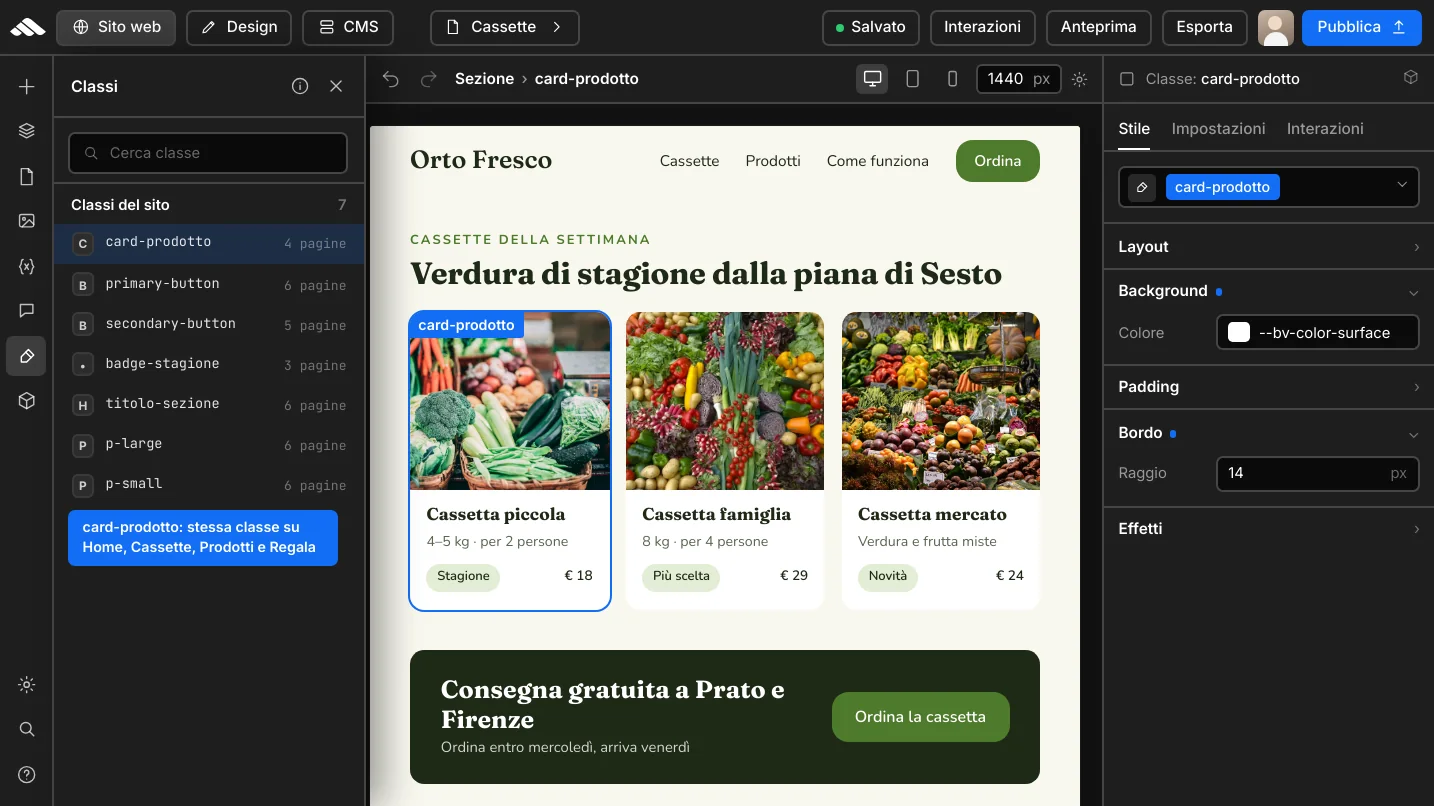
Reuse components and brand variables across every page to stay consistent without repeating work.
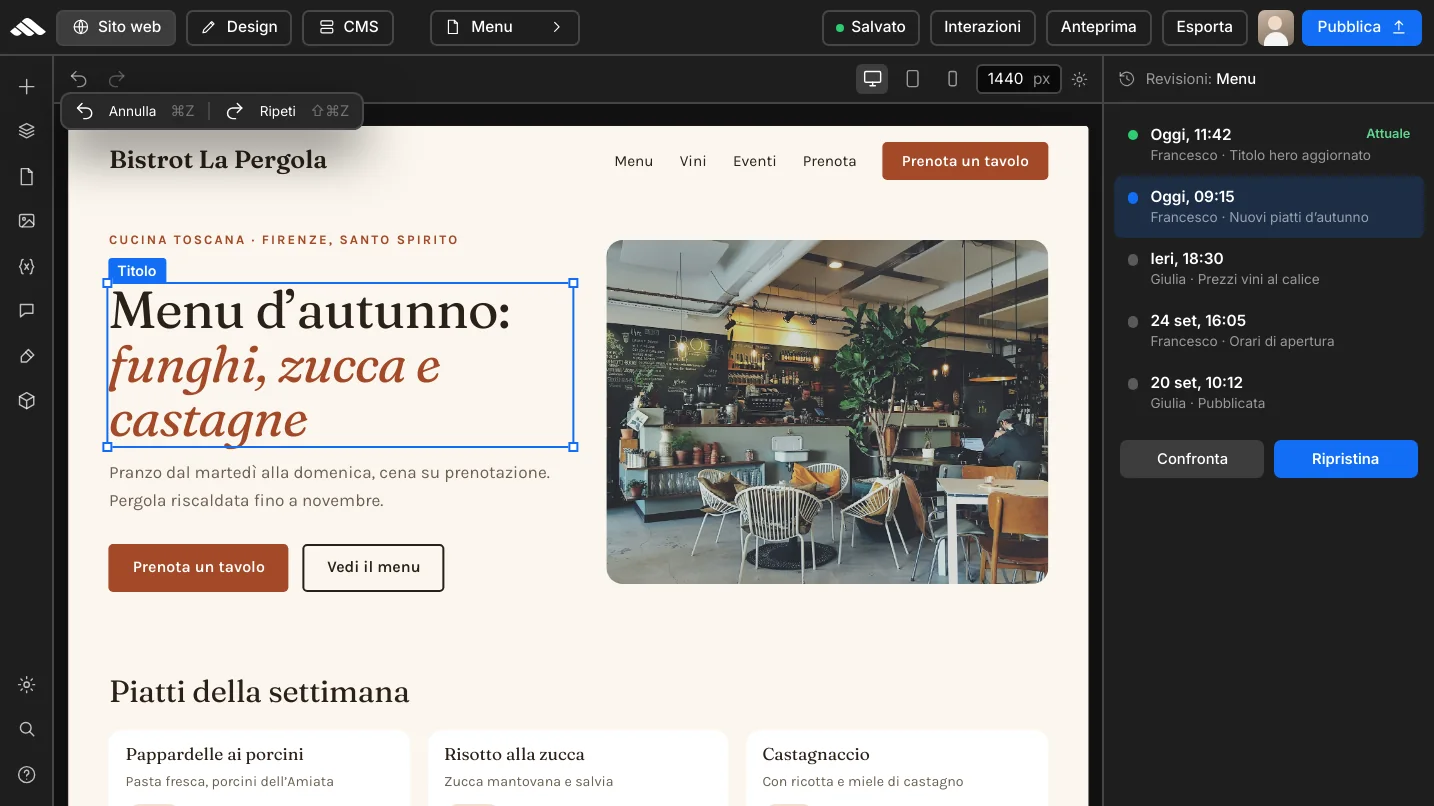
Every save is tracked per page: compare revisions and roll back with undo/redo.
Getting started
Six concrete steps in the builder to structure, design, and publish connected pages.
01
Set up home, services, and key paths in the project navigator.
02
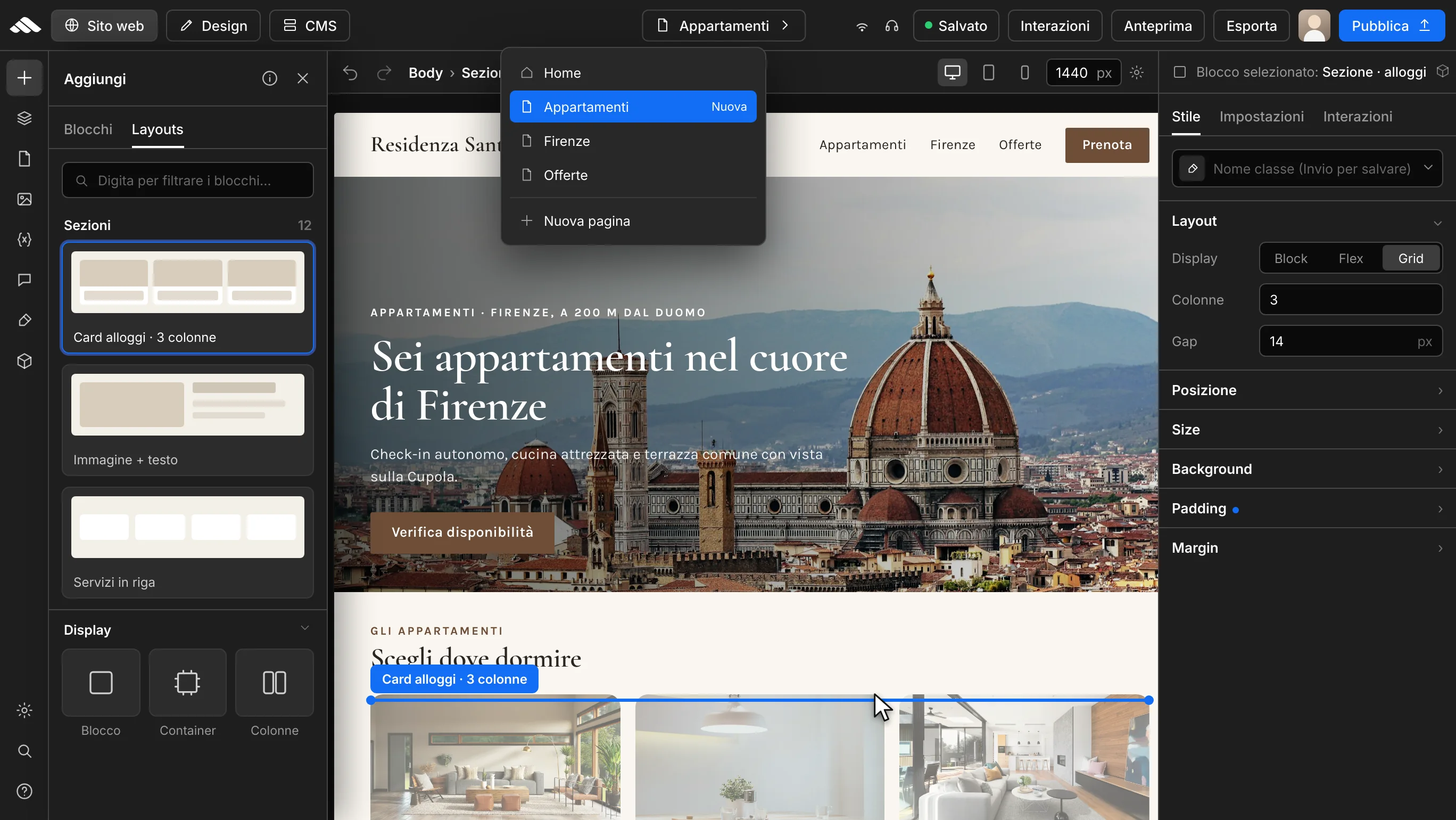
Start from a ready layout or from scratch and customize in the builder.
03
Update text, media, and CTAs page by page from the inspector.
04
Reuse components, CSS classes, and brand variables across every page.
05
Review desktop, tablet, and mobile for each page before publishing.
06
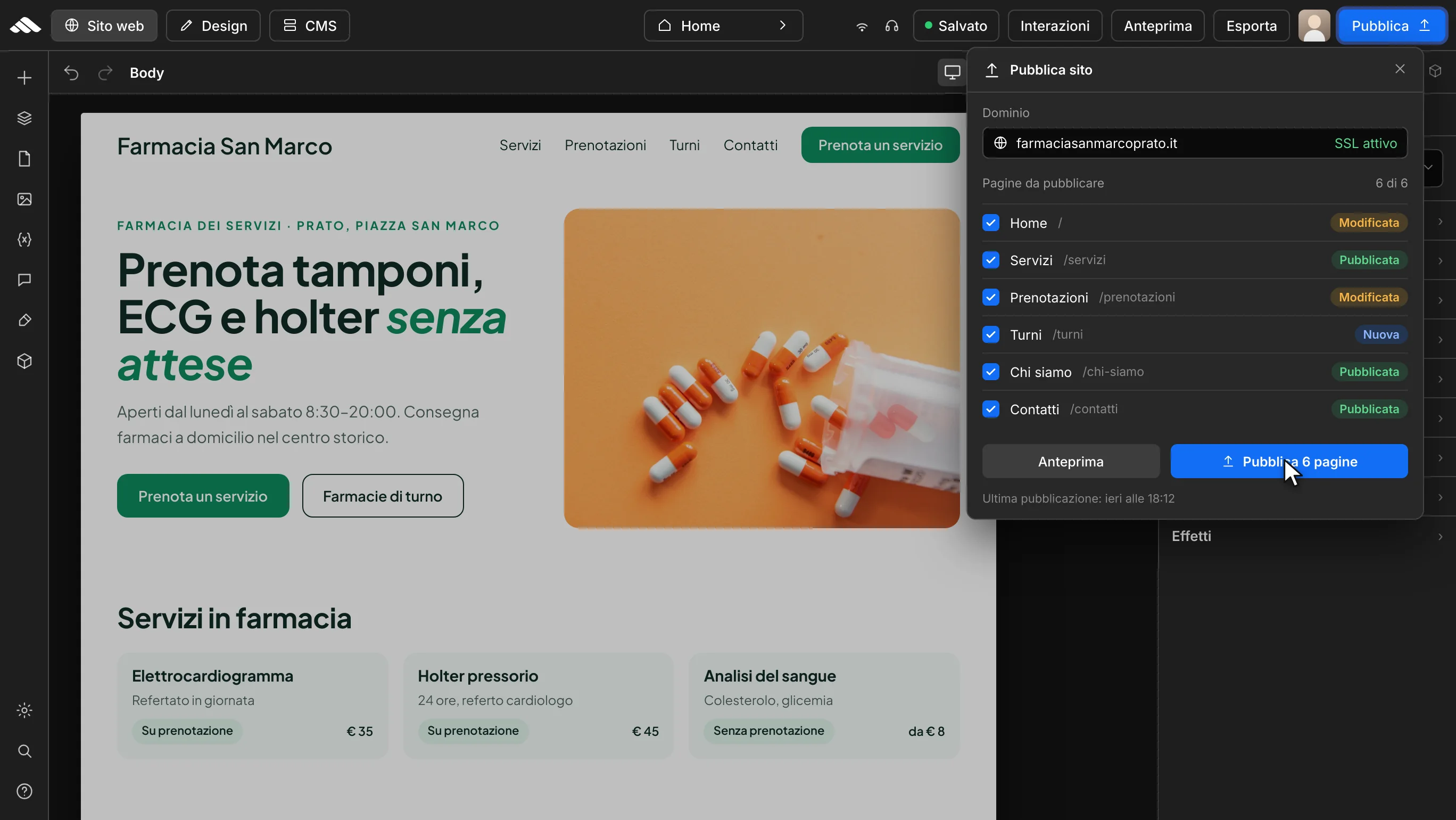
Take all connected pages live with a straightforward publishing flow.