How to create a website for a restaurant
Menu, bookings, a gallery and local SEO: what bars, restaurants and venues need to be found and booked online.

A website for a restaurant must immediately answer the questions of anyone who is hungry or wants to book: where you are, what you serve, how to order or book, hours and contacts. Even outside service hours, the venue stays “open” online — and often that is where the decision is made whether to come to you or to the competitor at the end of the street.
In this guide we look at structure, content, mobile, local SEO and practical updates for bars, trattorias, pizzerias and quality restaurants. The goal is not a flashy site but a tool that fills tables and orders.
Why the restaurant site still matters
Google listings, TheFork, Glovo and Instagram bring traffic, but:
- commissions and visibility depend on third-party platforms;
- the menu, the story and photos stay fragmented;
- the Google listing alone does not tell the chef, the philosophy, private events or catering;
- your own domain strengthens brand and trust for tourists and regular clients.
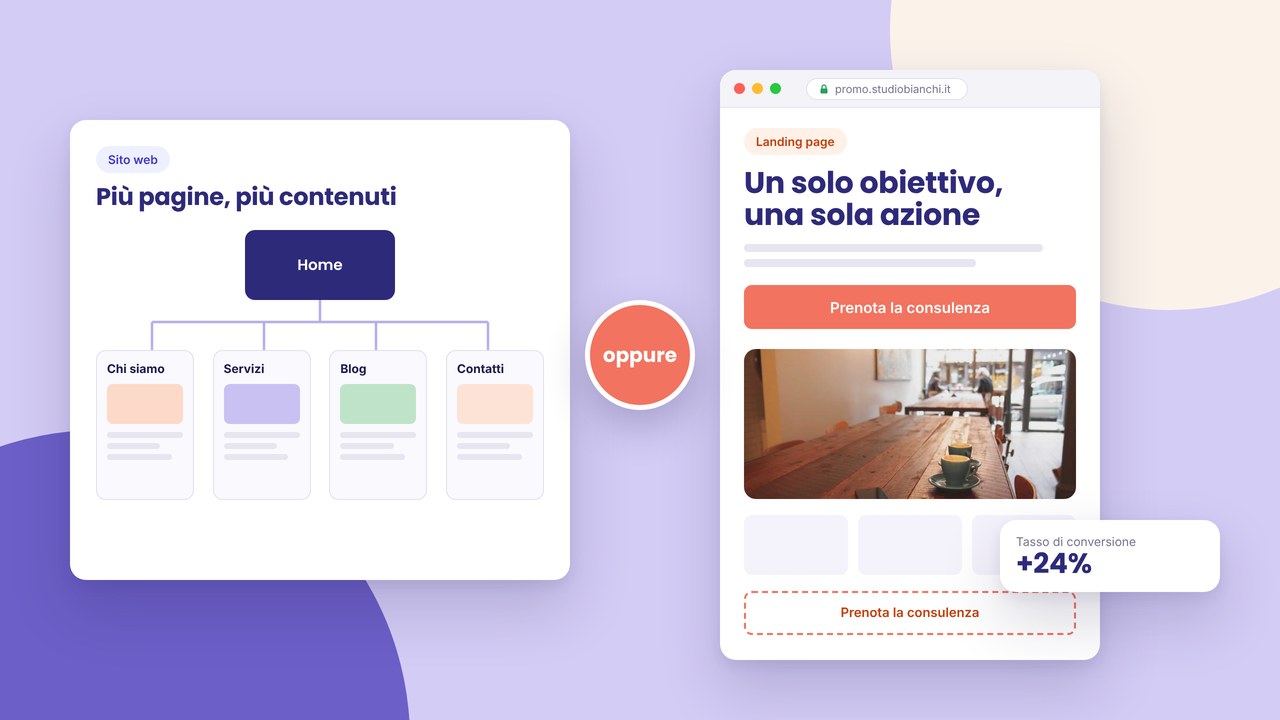
The site is the official hub: it connects bookings, delivery, events and a blog with recipes or news if you want extra SEO. For businesses with more than one premises or a hybrid format (restaurant + a takeaway product catalogue), a multi-page structure helps — see multi-page vs one-page.
Sections that cannot be missing
Home: atmosphere and immediate action
A real photo of the venue (not only a dish), a clear name, cuisine or speciality in one line, “Book”, “Order” or “Call” buttons above the fold on mobile. Today’s hours or a quick link to the complete hours.
A menu readable on mobile
Clear categories (starters, first courses, mains, desserts, wines). Updated prices. Allergen indications if required by regulations or useful to the client. Avoid a PDF as the only solution: on a smartphone they are often unreadable and not indexable. HTML pages or scrollable sections beat a scanned menu.
Bookings and orders
Integration with TheFork, a short form, a WhatsApp link or a delivery platform. The path must work in two taps from a phone. Test every link before launch.
Gallery: atmosphere and dishes
Professional photos or carefully taken shots with consistent light. Show the dining room, an open kitchen, details that differentiate. Generic stock photos of pasta do not convince.
Story, chef and philosophy
A short account of the venue, the origin of ingredients, the team. It humanises the brand and justifies a medium-high price.
Hours, map, parking, accessibility
A precise address, a tappable map, parking or public-transport indications. Holiday closures and holidays always updated — nothing frustrates more than wrong hours online.
Events and private bookings
If you do themed dinners, weddings, corporate: a dedicated section or a linked events site. Seasonal promo landings in an effective landing page.
The mobile experience: where people really book
Anyone searching “ristorante + quartiere” or “pizzeria aperta adesso” almost always does it from a smartphone. A mobile checklist:
- a tappable phone number (
tel:); - a book/order button that is sticky or repeated in the menu;
- a menu without forced zoom, a readable font;
- low loading times — compressed dish images;
- tested links to maps (Google Maps, Apple Maps);
- WhatsApp Business if you reply quickly.
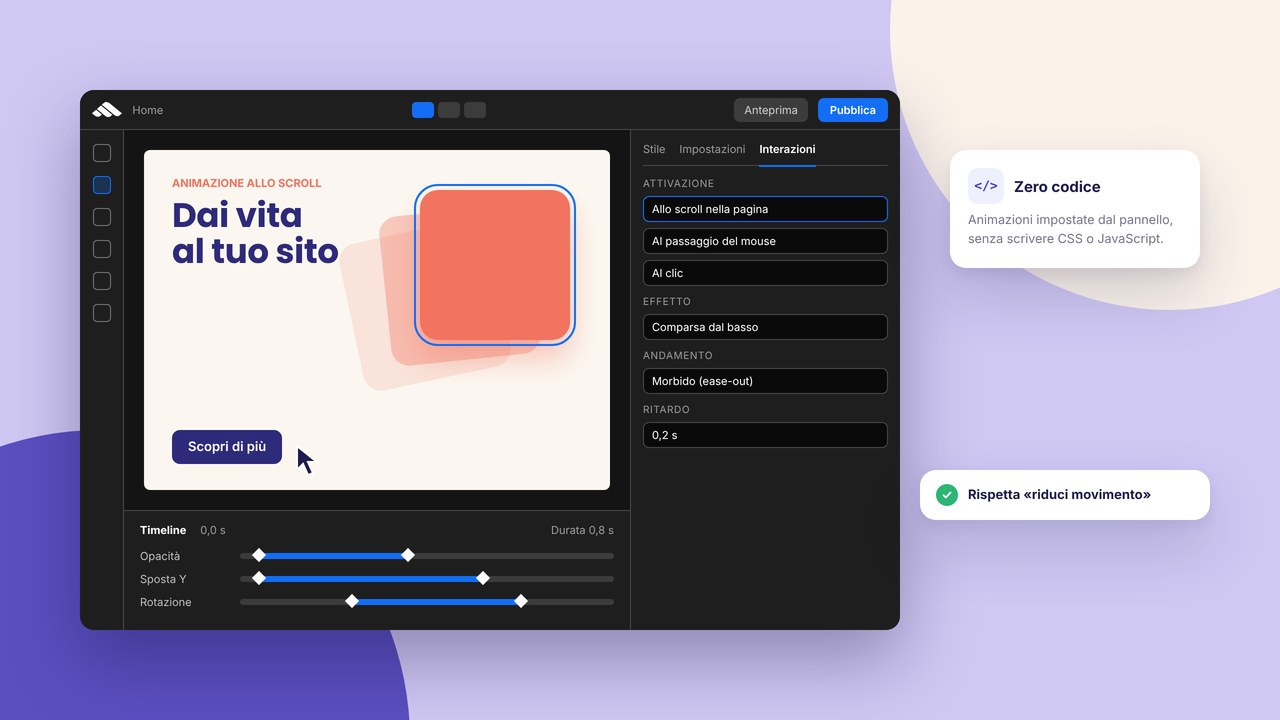
Light micro-animations on dish cards can help, without slowing things down: interactions without code in the builder.
Local SEO: being found in the area
For a restaurant, SEO is above all local. Align:
- NAP (name, address, phone) identical on the site, Google Business Profile, social and directories;
- page titles with cuisine type + area when natural (“Trattoria toscana a Prato — Menu e prenotazioni”);
- local schema markup if implementable (hours, geo);
- a link to the Google reviews listing when you have looked after them.
An in-depth guide: local SEO in Prato and Tuscany. Avoid repeating the city in every sentence — useful content beats keyword stuffing; see SEO mistakes to avoid.
Meta tags for the home, the menu and the bookings page: meta title and description. After launch, a SEO audit in 15 minutes every quarter.
Step by step: from concept to an online site
- Collect assets — logo, dish/dining-room photos, an updated menu, hours, a booking link.
- Define goals — table bookings, delivery, private events, brand.
- Architecture — home, menu, about us, gallery, contacts; possible events/catering.
- Copy and tone — warm, direct, consistent with the venue (family-style vs fine dining).
- Layout — a restaurant template from templates, personalised with brand colours.
- Online menu — responsive HTML, allergens, prices; not only a PDF.
- Integrations — booking, orders, maps, a light social feed.
- Local SEO and meta tags — title, description, descriptive dish-photo alts.
- GDPR — forms, analytics, cookies if present — HTTPS and cookie banners.
- Mobile testing — every CTA, every maps link, the contact form.
- Go-live — the go-live checklist and publication in 10 steps.
- Promotion — a stable URL on Google Business, the Instagram bio, email.
Updates: treat the site like the blackboard at the entrance
A seasonal menu, prices, event dinners, Christmas closures: if you do not update the site, you lose trust. With reusable components you change menu blocks or a promo banner without redoing the layout.
Plan:
- a menu review at every menu change (or monthly if it is dynamic);
- a home banner for events and holidays;
- a gallery with 2–4 new photos a season;
- special hours visible on the home during holidays.
How much a restaurant site costs
It depends on a long menu, booking integrations, a photo shoot and copy. A 4–6 page showcase with an HTML menu and a TheFork link is an order of magnitude smaller than complex food e-commerce. 2026 figures in how much a website costs with a builder and local detail in a website in Prato: costs and timings.
For SMEs or groups with more than one venue, see also building a website for SMEs in Tuscany. A template is not enough without real content: a professional site beyond the template.
Links with other site formats
- A business site — if the restaurant is part of a wider group or brand: a professional business website.
- A chef portfolio — for a personal brand or consulting: an online portfolio website.
- Events and catering — a website for events.
- A single promo — Valentine’s Day, a tasting menu: a dedicated landing.
Common mistakes on restaurant sites
- A menu only as a PDF — unreadable on mobile, not SEO-friendly.
- Hours not updated — the client arrives too early or too late.
- Stock photos — a dish that does not match reality generates negative reviews.
- Inconsistent NAP — a different address between the site and Google.
- No book/order CTA — the visitor has to look for the number in the footer.
- A slow site — a gallery with unoptimised images.
- Absent prices — ok for fine dining if the policy is clear, but indicating a range helps conversion.
- A long contact form — for a booking, date, time, number of people and a phone number are enough.
- Ignoring reviews — link Google Reviews and reply online.
A checklist for a restaurant site ready for launch
- A home with a real photo, the speciality and a book/order/call CTA.
- A mobile-friendly online menu with prices and allergens where required.
- Complete hours + visible holiday exceptions.
- A correct address, map and parking; NAP the same on Google Business.
- Booking links (TheFork, form, tel) tested from a smartphone.
- A gallery with optimised images and descriptive alts (“Tagliata di manzo con rucola”).
- An About us / chef page with a short story.
- Meta title and description with cuisine + area.
- HTTPS, privacy, cookies if analytics/pixels.
- Working form and email notifications.
- Consistent social links; Instagram if updated regularly.
- A plan for updating the menu and promos (monthly/seasonal).
Frequently asked questions (FAQ)
Is e-commerce needed on the restaurant site?
Not always. Many venues start with a link to delivery (Glovo, Deliveroo) or a phone/WhatsApp order. Your own e-commerce makes sense with internal order management and margins that can sustain the logistics.
Better a menu on the site or only on aggregators?
Both: aggregators bring traffic, the official site controls presentation, SEO and the absence of commissions on direct bookings.
How many photos are needed?
Quality beats quantity: 8–15 carefully made photos among the dining room, signature dishes and the team. Update by season.
Should I translate the site for tourists?
If you receive a relevant international flow, yes — at least the menu and bookings in English. Automatic translation without review risks errors on allergens and ingredients.
One-page or more pages?
A one-page can be enough for a small bar; a restaurant with a long menu, events and catering benefits from separate pages for SEO and usability.
How do I manage reviews?
Invite satisfied clients to leave a Google review; always reply, even to negative ones in a professional tone. A link from the home or footer.
Can I use video?
Yes, short and compressed (the chef at the pass, the atmosphere). Avoid autoplay with audio; it penalises mobile and accessibility.
Brand, tone of voice and differentiation
Two restaurants on the same street can have very different sites: a family trattoria with a warm tone and convivial photos; a modern bistro with essential typography; fine dining with a few signature dishes and storytelling about the producer. The tone must be consistent among the home, the menu and the About us page. Avoid generic texts (“quality cuisine”) without saying which quality: local raw materials, fermentations, a natural wine list, a dedicated vegan kitchen.
If you have an iconic dish or a unique experience (chef’s table, a sensory dinner), dedicate a section or a home anchor to it — it is often what clients search for on Google and on social before booking.
Delivery, takeaway and direct orders
More and more venues combine the dining room and takeaway. On the site distinguish clearly:
- a delivery order through a platform (a link out);
- takeaway with pickup at the premises (phone, WhatsApp, a form);
- a reduced delivery menu vs the complete dining-room menu.
If you promote a direct order to avoid commissions, explain waiting times and the delivery area. A home banner “Order direct and save” only works if the flow is simple — otherwise it frustrates. For packaged products (sauces, wine, gift boxes) consider a mini catalogue section with an info request, as described in the guide to an online product catalogue.
Private events, catering and corporate
Many restaurants earn important margins from corporate dinners, birthdays and weddings. A dedicated page with room capacity, a typical tasting menu, extra services (audio, setup) and a quote-request form filters serious leads. Link it to a website for events if you organise recurring themed evenings with a ticket.
Accessibility and obligatory information
Besides allergens, indicate wheelchair access if relevant, vegetarian/vegan options, whether you accept dogs (terrace), a children policy. It reduces phone calls and negative reviews for unaligned expectations. Kitchen hours vs bar hours if they differ.
Promoting the site after launch
Put the URL on napkins, the receipt, a window QR, the Instagram bio, the Google listing and the email signature. Ask the team to invite satisfied clients to Google reviews — the site must link the listing. Seasonal campaigns (Valentine’s Day, a summer menu) deserve a dedicated landing with UTMs to understand what converts.
Useful metrics to monitor
Mobile vs desktop visits, clicks on “Book” and “Call”, exit from the menu page, catering form requests. You do not need complex analytics: even Search Console data (“ristorante + quartiere”) indicate whether local titles and texts work. Every quarter repeat a quick SEO audit and check that TheFork or delivery links are still valid.
A digital menu: a recommended structure
Organise by categories with anchors (#antipasti, #vini) if it is a long one-page, or separate pages for the wine list if it is extensive. For every dish: name, a short ingredient description, price, a standard allergen icon if applicable. Wines: vintage, region, glass/bottle. Update prices in a single component block if you use the builder — the same advantage described in reusable components.
Avoid images for every dish if they slow things down: hero photos for categories or signature dishes are enough. Descriptive alternative text helps image SEO (“Cinghiale brasato con polenta — Trattoria X Prato”).
Google Business Profile and the site: working as a pair
A Google listing with recent photos, hours, attributes (terrace, delivery), weekly posts and replies to reviews. The site must confirm the same info and offer depth (the story, the complete menu, events). A bidirectional link: from the site to the reviews listing, from the listing to the official site for the menu and direct bookings. The complete local strategy in local SEO in Prato and Tuscany.
A practical step: the first 7 days after go-live
- Check the form and booking links every morning.
- Publish an Instagram post with a link to the updated menu.
- Ask 5 regular clients for a Google review.
- Check Search Console for “ristorante + zona” queries.
- Add a banner if you have an extraordinary closure.
- Test speed on 4G after uploading gallery photos.
- Share the URL with staff for uniform replies to clients.
Before publication follow publication in 10 steps and the go-live checklist. An indicative budget in 2026 site cost.
How do I manage allergens and regulations?
Indicate the main allergens with clear iconography or text next to every dish. If you offer menus for coeliacs or vegans, highlight it on the home and in the FAQ. In case of doubt, invite people to contact the dining room before booking — it reduces risks and increases trust.
Does the site replace Instagram?
No, but it completes it: Instagram for daily engagement, the site for the complete menu, SEO, direct bookings and information always findable without an algorithm. Link both in a consistent way.
Conclusion and the next step
An effective website for a restaurant answers in seconds where, what, how much and how to book — on mobile, with real content and constant updates. It is the perfect complement to Google, social and delivery platforms.
To start, explore templates, sign up to the builder or ask for a consultation. Complete services on web services; other guides on the blog.