
How you go live.
With one click.
You publish from the builder on the platform subdomain. You can also connect a domain you own: HTTPS is activated when the DNS records point to the server.
One click. The site is pubblico.
Open Publish, choose the pages and the destination. The status changes from draft to published: the site becomes visible on the subdomain or the connected domain.
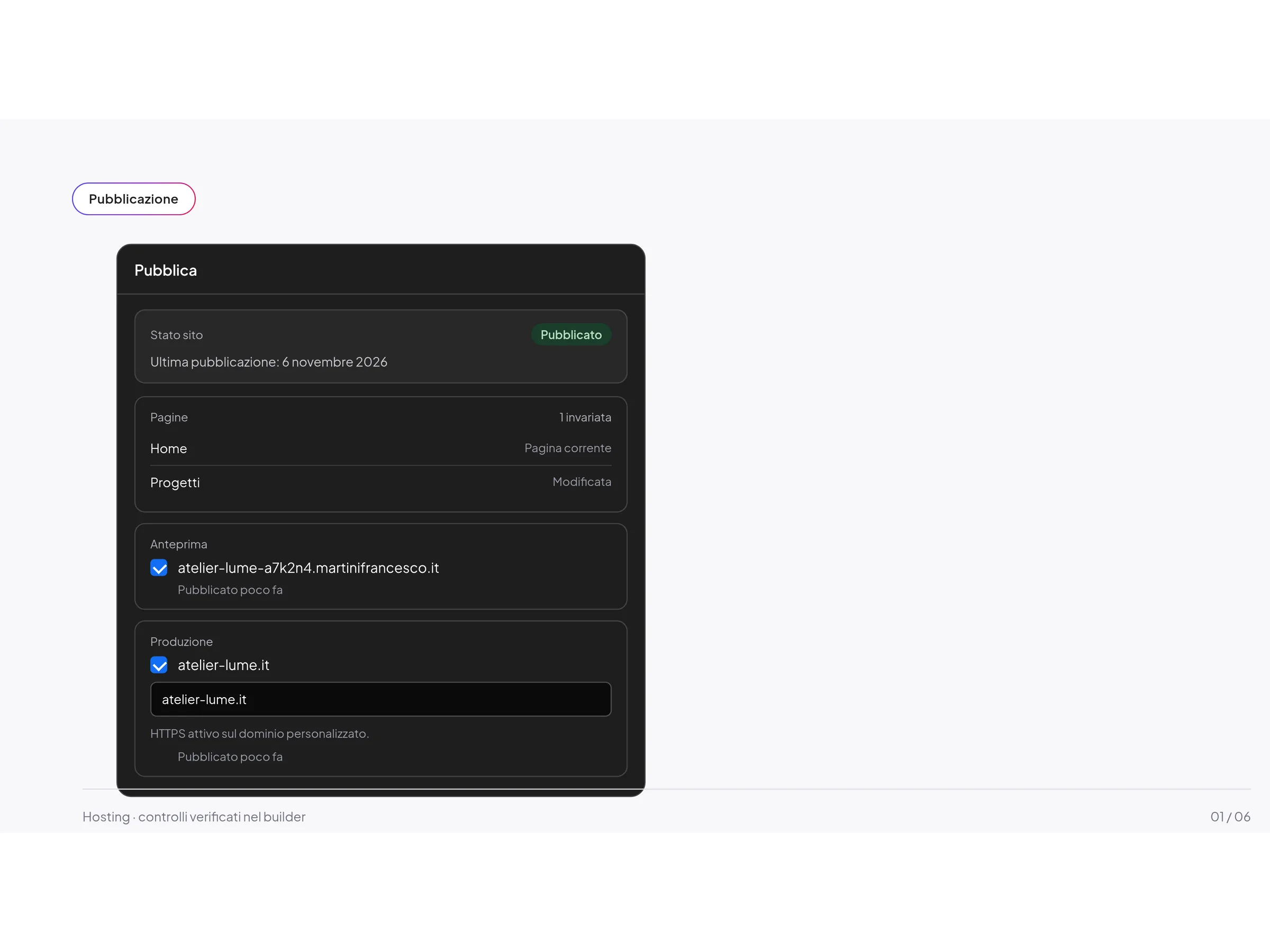
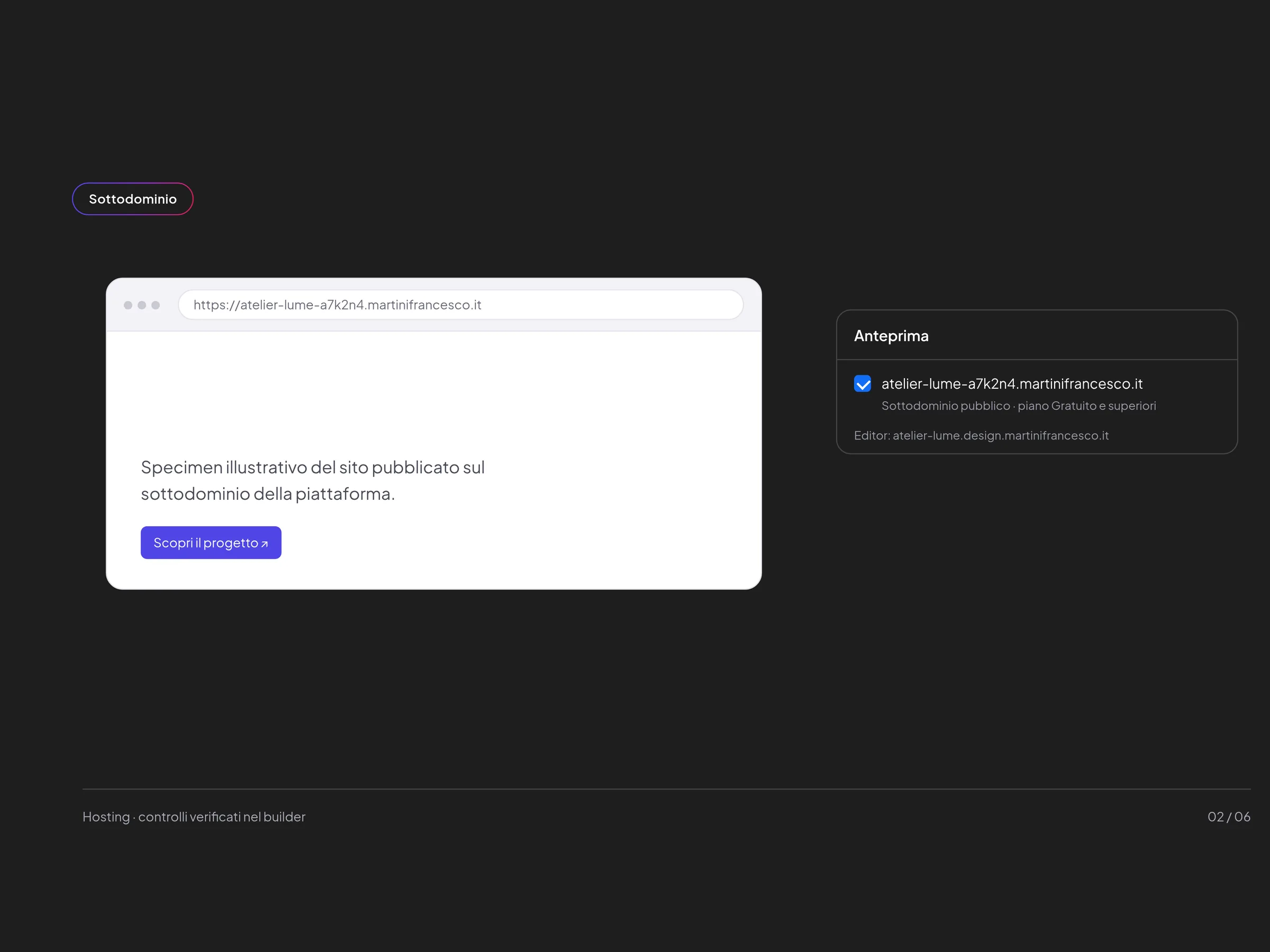
An address. Already on the piattaforma.
Every site receives a https://nome-codice.martinifrancesco.it subdomain. On the Free plan, this is where the project goes live. The editor remains on nome.design.martinifrancesco.it.
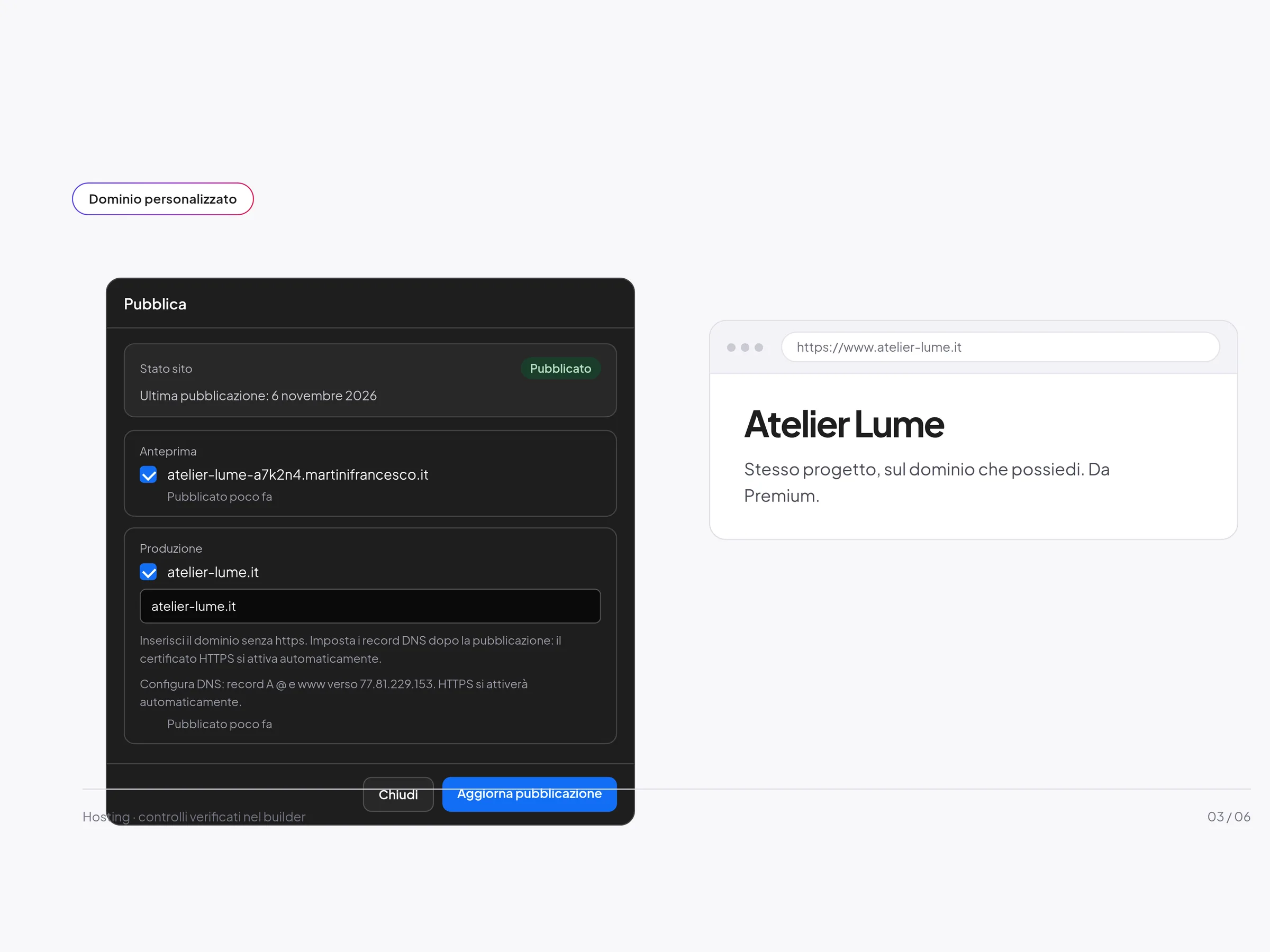
Your first name. Your dominio.
Enter the domain without https. Set the A records for @ and www towards the server. The HTTPS certificate is activated automatically when DNS is correct.
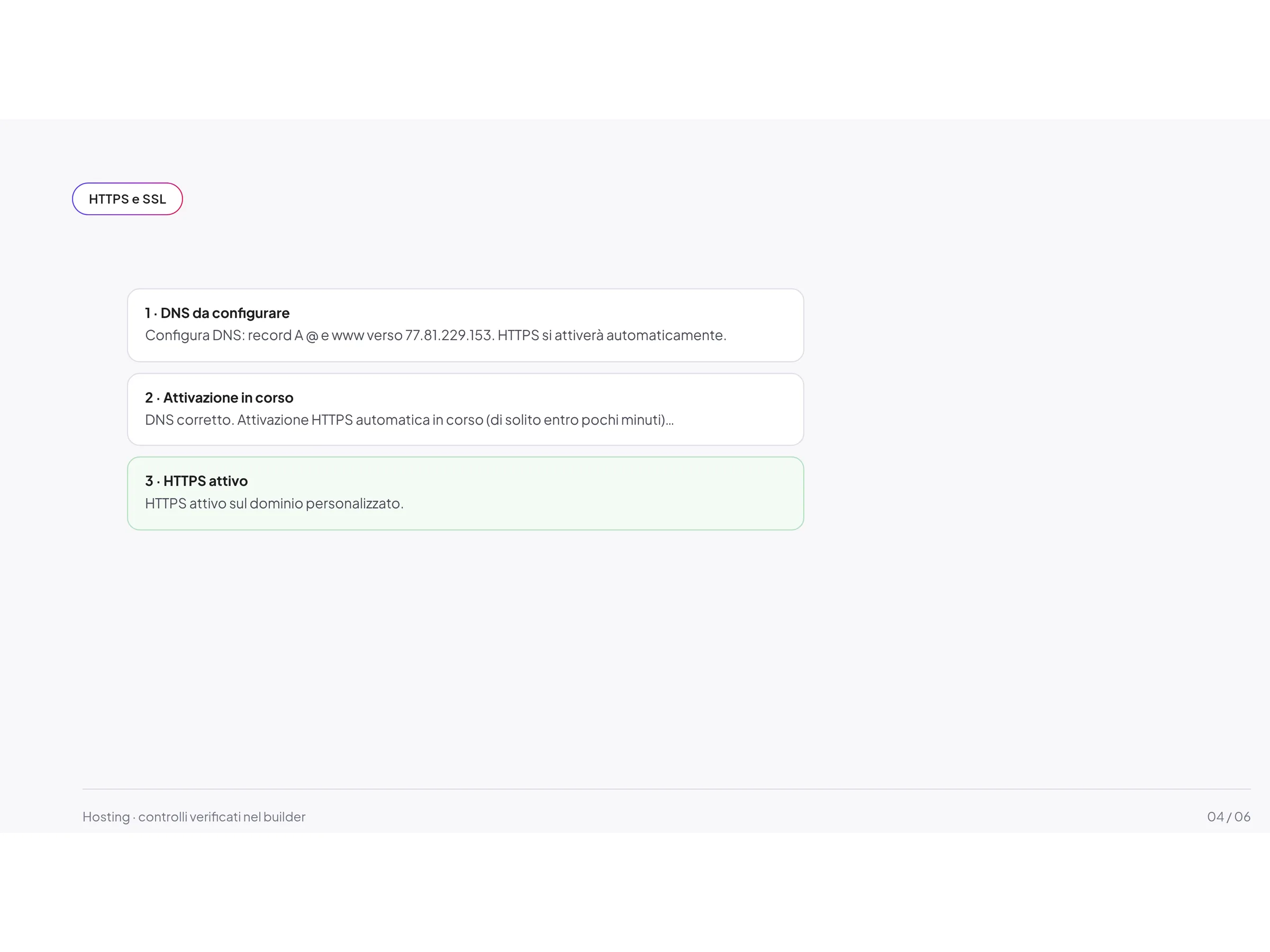
HTTPS. Without configuring it by mano.
When DNS points to the server, automatic certificate activation starts. In the panel you can read the status: DNS to be configured, activation in progress, or “HTTPS active on the custom domain”.
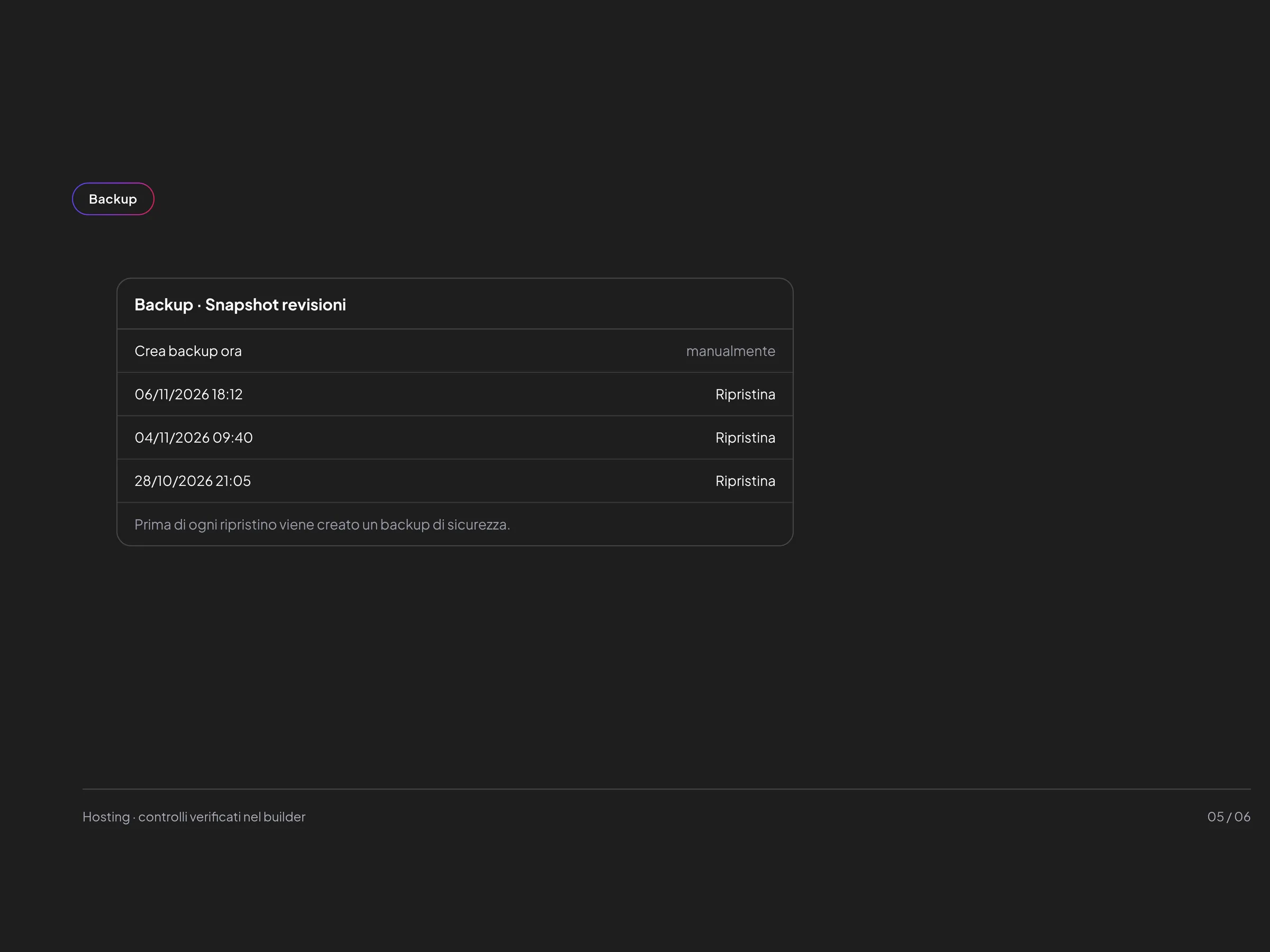
A snapshot. Then the ripristino.
In the site settings you create a backup of the current revisions of every page. Before each restore the builder saves a safety snapshot. Afterwards, you may need to publish again.
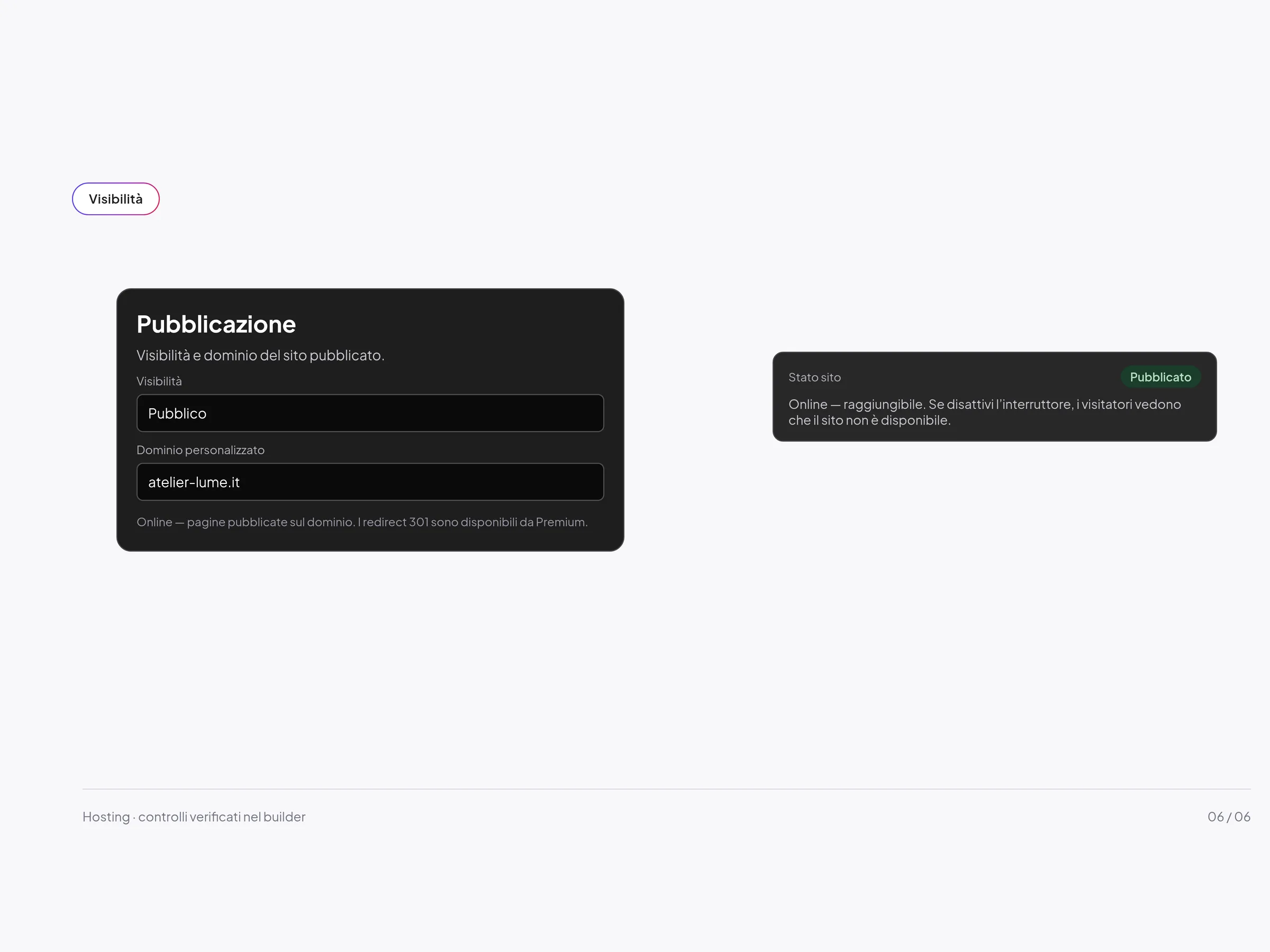
Public. Or no.
In the publishing settings you choose whether the site is public or private. The site-on-the-web switch makes it reachable, or signals that it is not available. 301 redirects, from Premium upwards, are on the same screen.
FAQ
Questions about hosting
Where does the site go live if I do not have a domain?
On the platform subdomain, in the format https://nome-codice.martinifrancesco.it. The Free plan publishes here. The project editor remains on nome.design.martinifrancesco.it.
How do I connect a custom domain?
You enter it without https, set the A records for @ and www towards the server, and when DNS is correct the HTTPS certificate activates on its own.
Is there a CDN or an uptime percentage?
No. In the product that was checked, a CDN does not appear and no uptime percentage is stated. We do not invent speed or availability figures.
What do the backups save?
A snapshot of the current revisions of every page in the project. You can restore it: first the builder creates a safety backup of the current state. Restore updates the builder; if you have already published, you may need to publish again. It is not a backup of the server files.
Does the published site show a builder badge?
On the Free plan, published pages show the “Made with Martini” badge. Premium plans and above remove it.