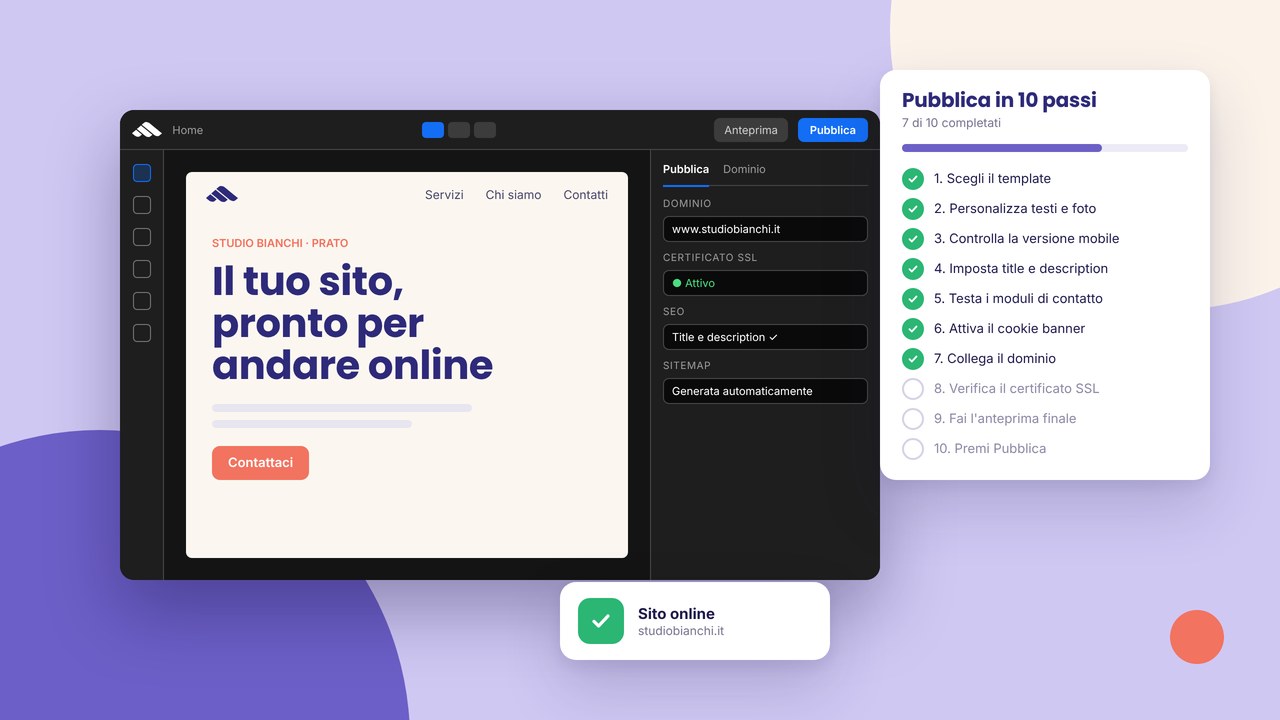
Checklist before your site goes live
Content, links, mobile, SEO, legal pages and performance: the checklist to follow before you make the project public.
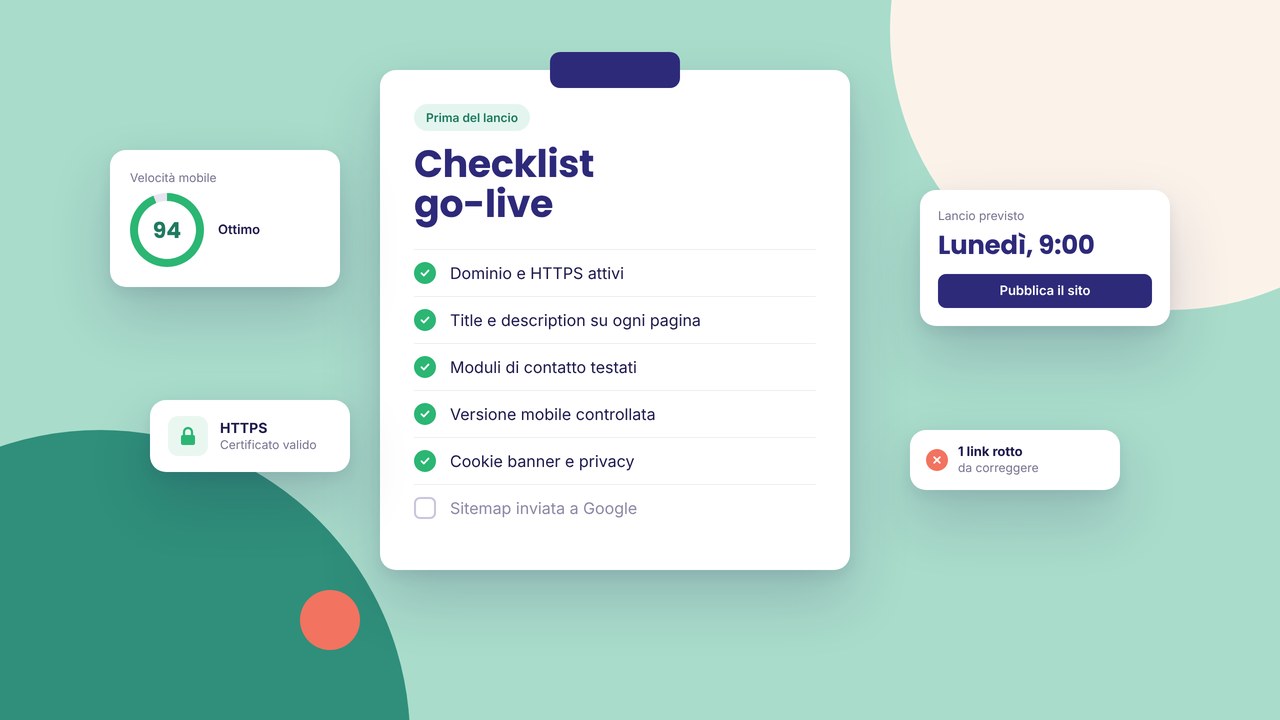
Launch day should not be the day of surprises. This pre-go-live checklist sums up what we check before every important publish — you can use it on self-service projects too.
Content and links
- Final copy, no Lorem ipsum
- Working internal and external links (no obvious 404s)
- Correct phone number, email and social profiles
- A sharp favicon and logo
On-page SEO
- Unique meta title and description for each page
- One h1 per URL, a logical h2 hierarchy
- Alt text on the main images
- A reachable sitemap — tools in SEO optimisation
Legal and privacy
- Privacy policy and cookie policy linked
- Cookie banner tested on mobile
- HTTPS across the whole site — security
Forms and conversions
- A test form submission received
- CTAs visible above the fold on mobile
- A thank-you page or a clear confirmation message
Responsive and browsers
- Home, services and contact on real iPhone and Android devices
- Menus and panels that open without getting stuck
- No text overflowing the container
Performance
- Images that are not huge
- Few heavy animations on the home page
After you click Publish
- Open the site in a private window
- Submit the sitemap in Search Console
- Check the domain and the certificate
- Note the launch date so you can compare traffic between 30 and 60 days
Full guide to the flow: 10 steps to publish. Common SEO mistakes: a dedicated article.
Why a checklist before you publish
Publishing is not just pressing a button: it is the moment the site moves from a working environment to a public shop window. A mistake on a broken link or a duplicated meta title can stay online for weeks if nobody does a review pass. The checklist does not replace manual testing, but it reduces the risk of forgetting items that cost time in production (customer support, “the form doesn’t work” requests, avoidable SEO penalties).
If you are launching your first site with the builder, combine this list with the guide on HTTPS and cookie banners and with the domain setup described in domain and DNS. If you are starting from scratch, exploring the catalogue templates speeds up the initial structure, but the pre-go-live checks stay the same.
Content: beyond the quick list
Microcopy and tone of voice
Reread titles, subtitles and buttons with a cold visitor’s eye: “Send” becomes “Request a quote” if that is the goal. Avoid outdated dates (“2024 offer”) and references to a team or services you no longer offer.
Media and rights
Check that the images are compressed and that you have the right to use them (your own photos, licensed stock, no one else’s screenshots). A logo in SVG or high-resolution PNG on a light and a dark background if the header changes colour.
Strategic internal links
From the home page to services, portfolio and contact; from the blog to conversion pages. A good mesh helps SEO and the user journey — more in SEO mistakes on brochure websites.
SEO and indexing in detail
Besides unique titles and descriptions, check that the public URLs are the ones you want in Google (no drafts indexed by mistake). If you have legal or thank-you pages that should not compete in search, consider noindex where it makes sense. For meta tags, the guide meta title and description remains the reference.
After launch, a 15-minute SEO audit gives you a baseline. For local businesses, connect the site to the Google listing by following local SEO in Prato and Tuscany or the guide on Google Business Profile.
Security, privacy and trust
HTTPS on every page, a consistent redirect from http to https, no mixed content (http images on an https page). The cookie banner must block non-essential scripts until the user chooses — test it on Safari iOS and Chrome Android. Visible links to the privacy and cookie policies in the footer; if you collect sensitive data via a form, briefly state the purpose and the retention period.
Conversions and tracking
Send at least two test forms from different devices; check the spam folder if you use a forwarding email. If you use UTM for campaigns, make sure the landings have a dedicated structure — see how to create an effective landing page. Note in a sheet which pages are “money pages” so that, after 30 days, you can compare traffic and conversions in Search Console and in the email manager.
Team and stakeholders
If more than one person touches the project, share the checklist and assign responsibilities: copy, legal, SEO, mobile testing. A final review in a private window (without a builder login) simulates the real experience. For SME sites in Tuscany with more than one location or service, the guide building a website for SMEs helps you not to forget key pages before go-live.
FAQ
How long does it take to complete the checklist?
For a 5–8 page site, count half a day if the content is already final; a full day if you still need to tidy copy, legal pages and forms. Better to delay publish by 24 hours than to fix mistakes that are visible to the public.
Do I have to repeat every check after every small change?
No: after launch, use a mini-checklist (links you touched, the form if you changed the destination, meta tags if you added pages). For important publishes (a rebrand, a new home) repeat the full list.
Can I publish without Search Console?
Yes, but you lose visibility on coverage errors and queries. Connecting it within the first week is a free best practice.
Does the catalogue template replace the checklist?
No. The templates give you structure and style; content, legal pages, the domain and SEO remain yours. You can sign up, import a template and use it as a base, then go through this checklist before you publish.
What should I do if I find a mistake after go-live?
Fix it in draft, republish, check in a private window and make sure the sitemap updates. If the mistake involved indexed URLs, use Search Console to request a recrawl of the correct page.