01
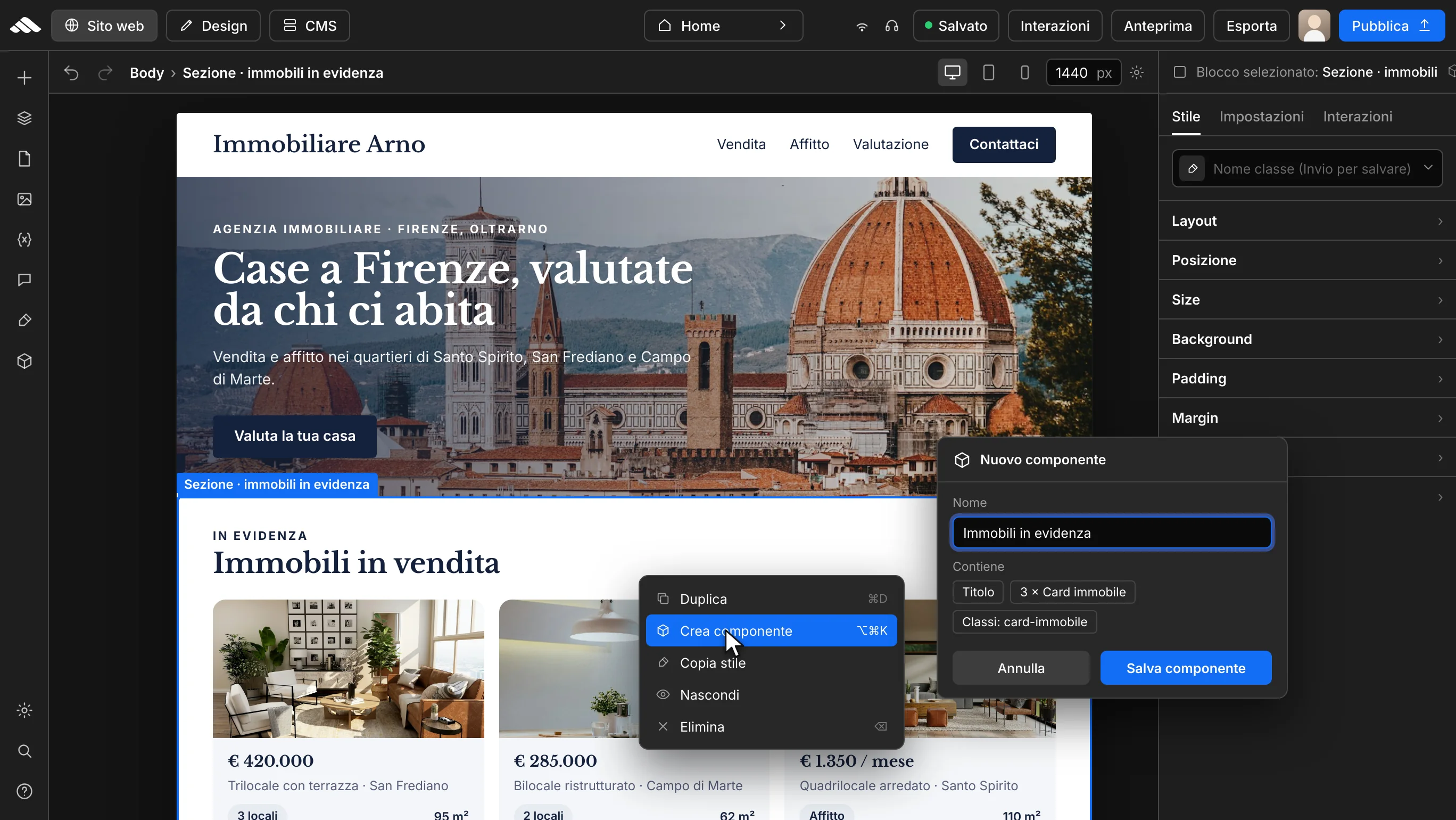
Compose the section on the canvas
Build the block with text, media, and styles like any normal section.
Save sections, reuse them across every page, and keep visual consistency without redoing the work each time.
Open the builder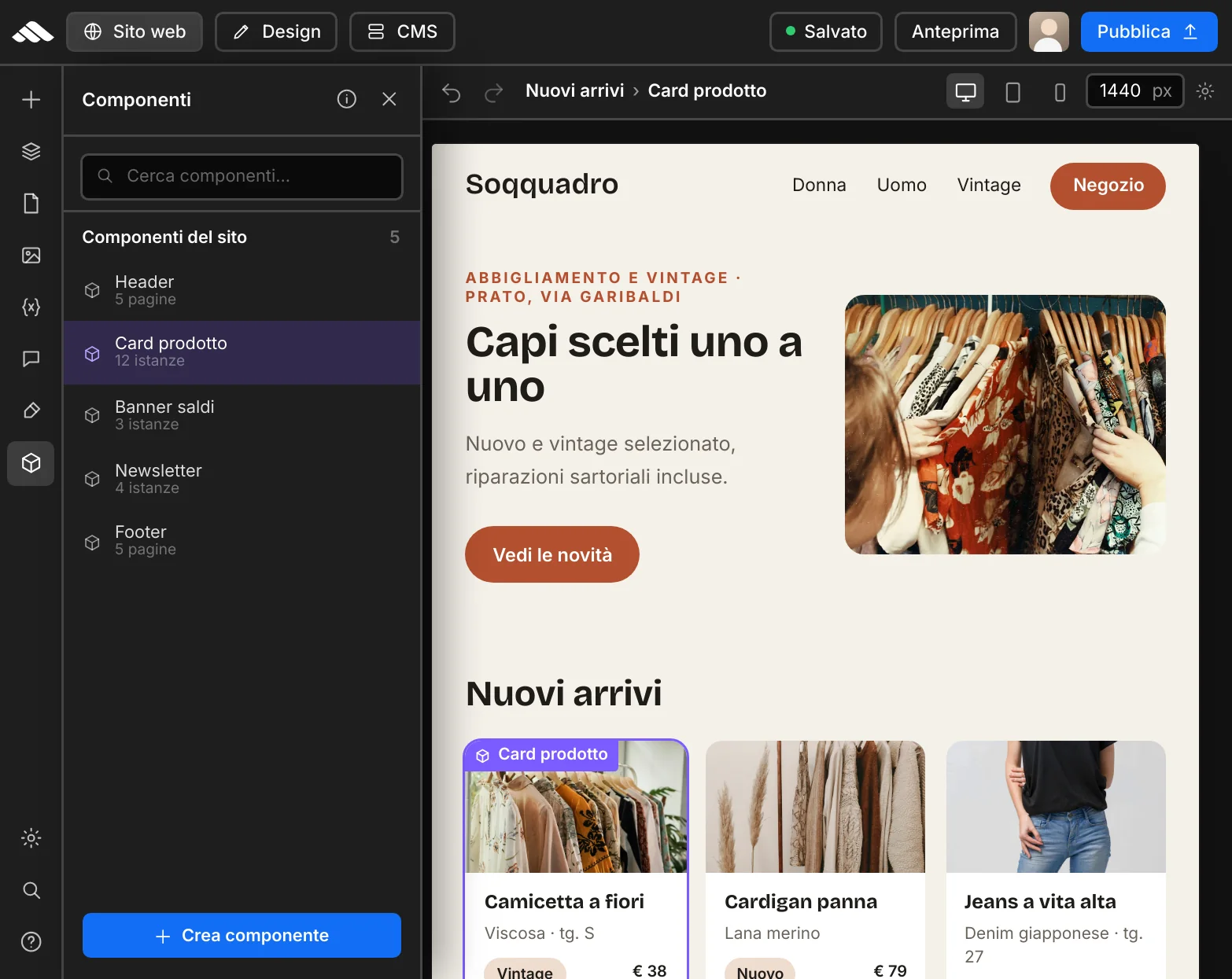
Blocks that stick around
Every component keeps its structure and style: update the master instance and stay organized across pages, revisions, and publishing.
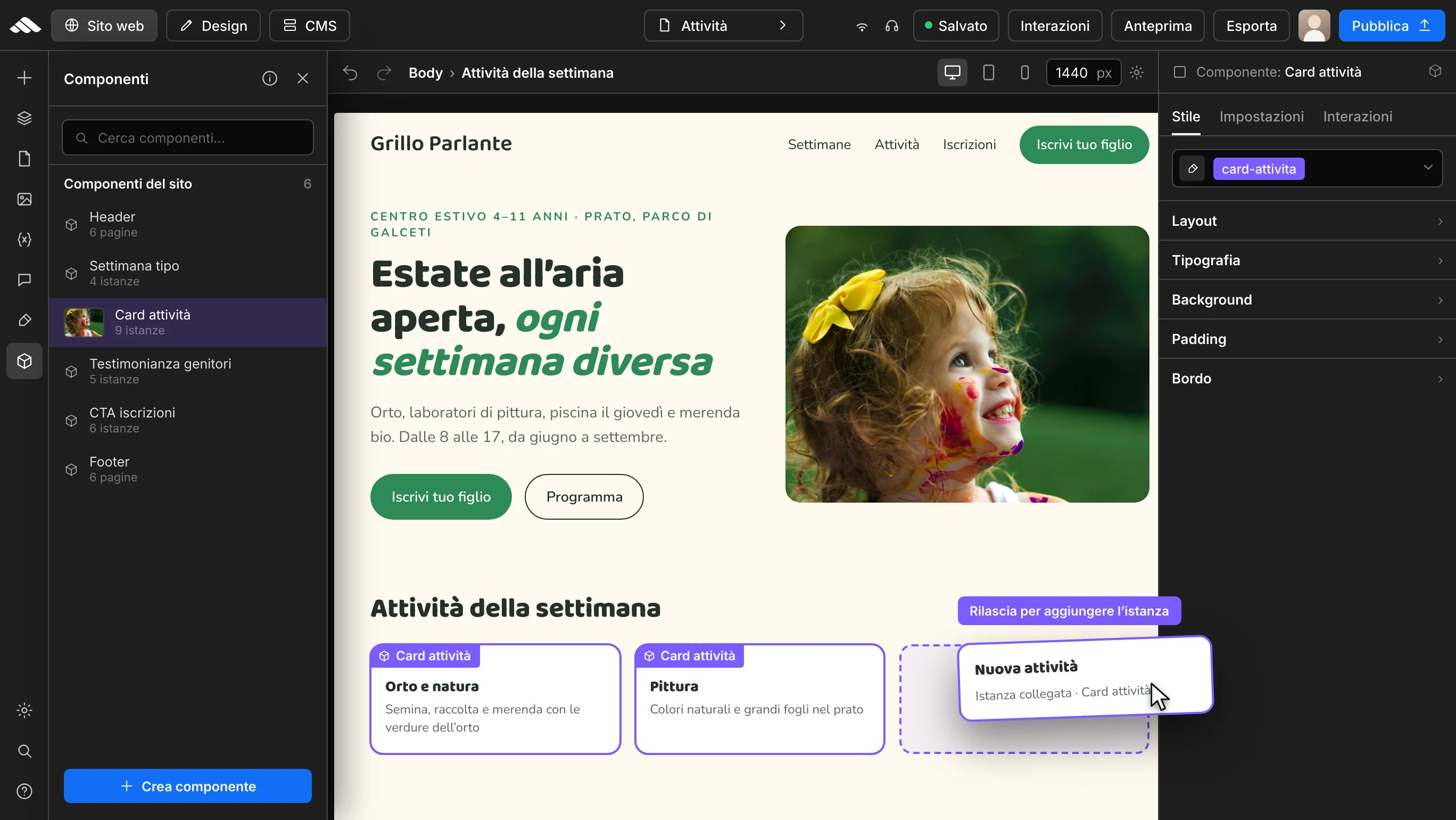
Add components from the sidebar, reorder them in the navigator, and see the result on the canvas right away.
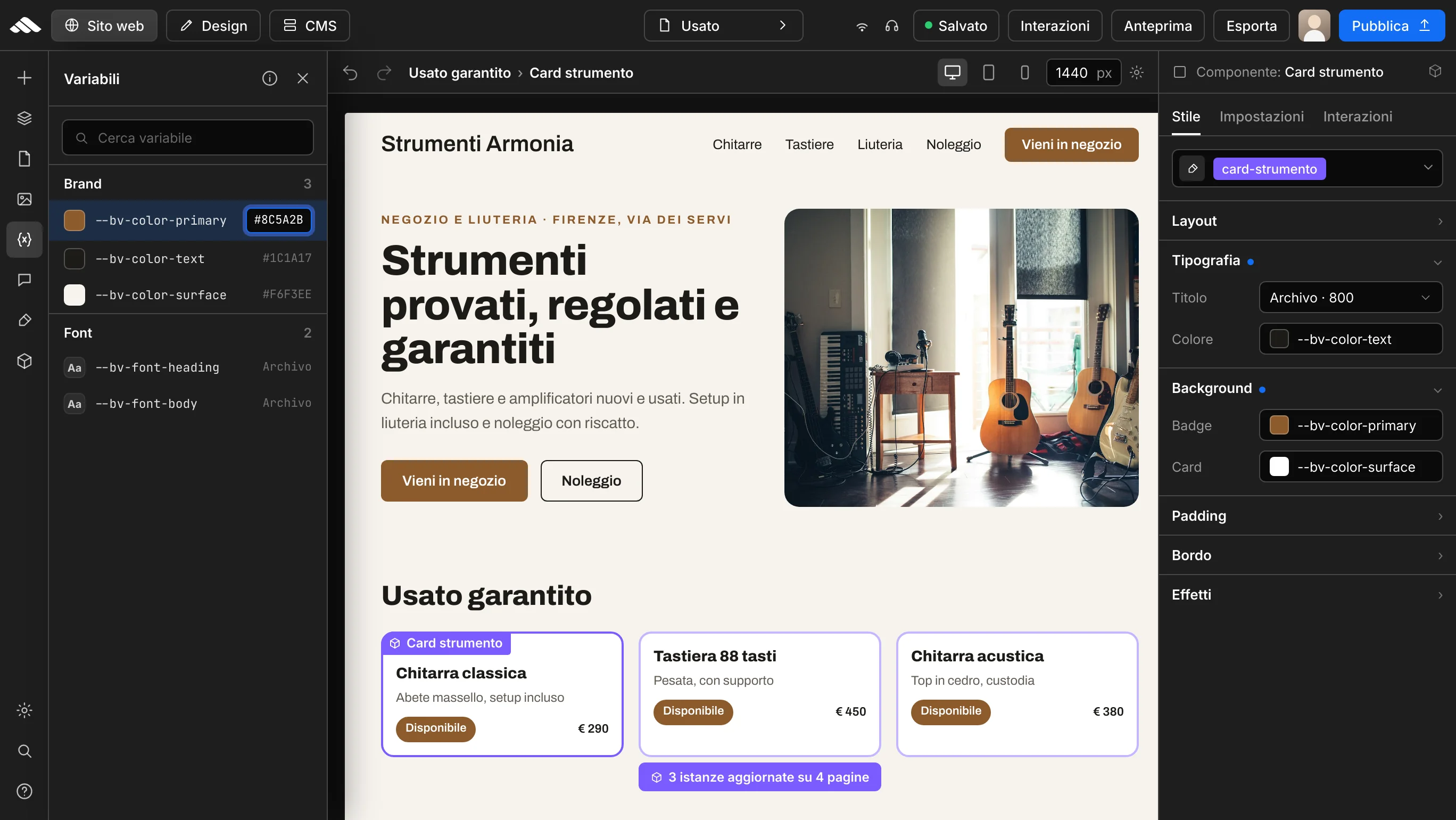
Colors, fonts, and variables apply to every instance: the component follows your design system.
Perfect for CTAs, service cards, testimonials, and FAQ blocks that appear on multiple pages.
Classes, effects, and backgrounds stay editable for each instance without losing the saved structure.
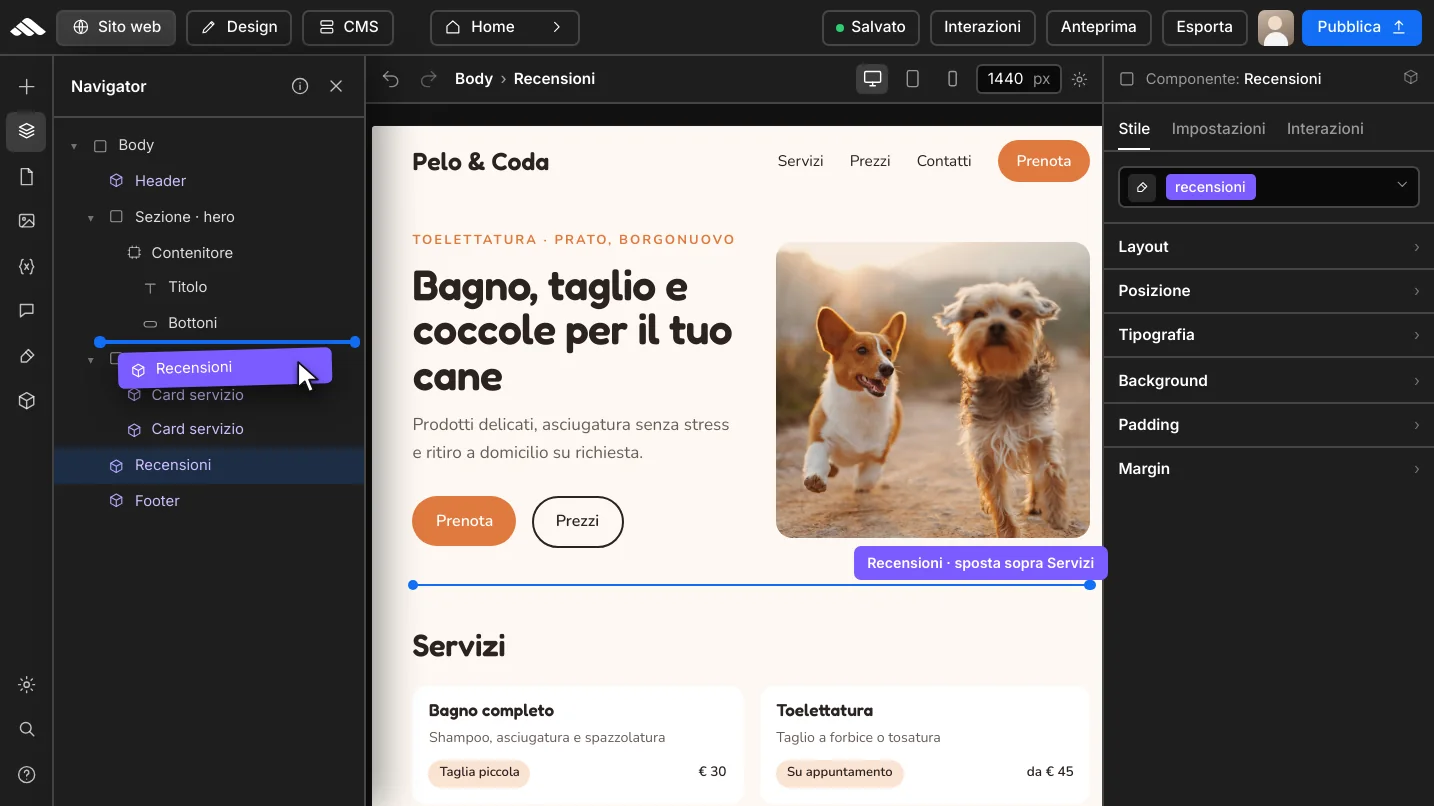
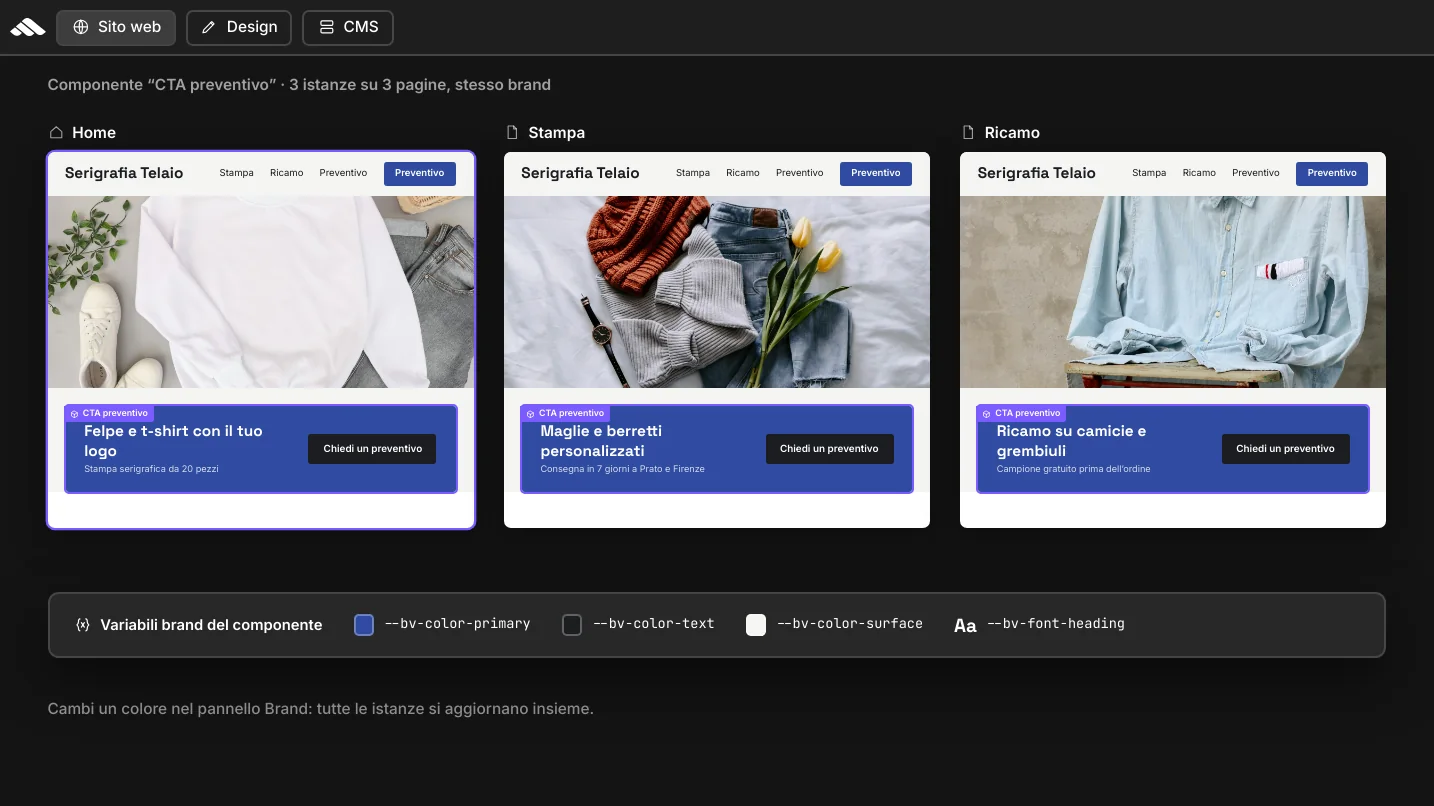
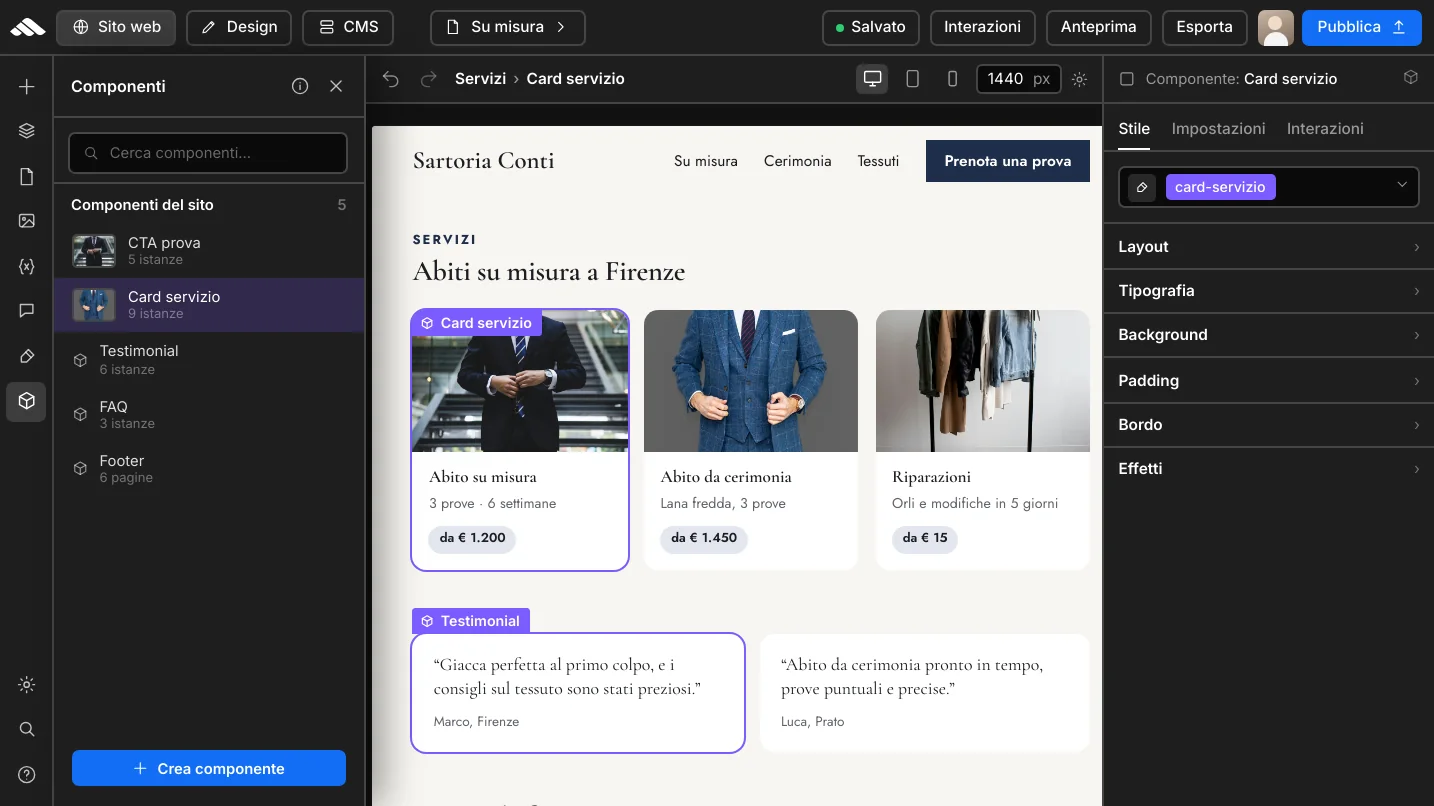
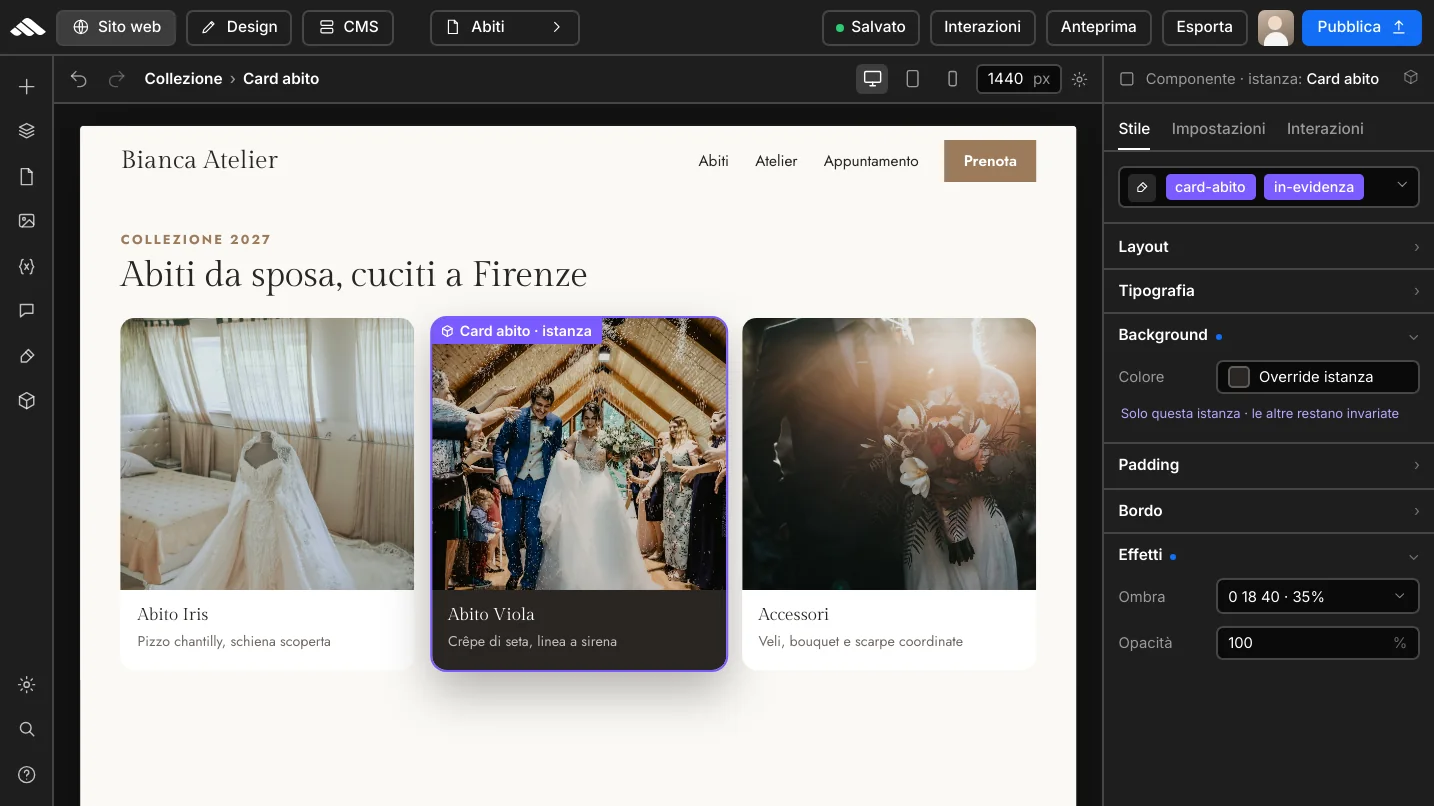
Four steps to create, insert, and maintain reusable blocks.
01
Build the block with text, media, and styles like any normal section.
02
Add it to the library with a name and preview so you can find it instantly.
03
Drag the instance where you need it: structure and classes stay aligned.
04
Every revision keeps data-component-id and consistency across live pages.
Less copy-paste, more control: work on verified blocks and launch an organized site in less time.
CTAs, cards, and FAQs update from a single master block—not page by page.
Typography, colors, and spacing stay consistent on desktop, tablet, and mobile.
Component instances stand out in the tree: you instantly see what is reusable.
Saves and revisions preserve component metadata all the way to go-live.
Components
Quick answers on saving, reuse, and consistency across pages.
Yes: save a section as a component and reuse it wherever you need it. It is ideal for CTAs, service cards, FAQs, and blocks repeated across multiple pages.
Every instance stays linked to the component via data-component-id. You can customize content and styles while keeping structure and metadata for consistent load and navigator behavior.
Yes. Adjust layout and styles for desktop, tablet, and mobile like any other block: the component inherits the builder viewport system.
Every save creates a revision with the project HTML and CSS, including is-component and data-component-id on instances, so you can roll back without losing the library.