Learn to develop and design step by step
Discover tutorials and step-by-step guides on HTML, CSS, JavaScript, PHP, Node.js and SEO optimisation to improve your web development skills.
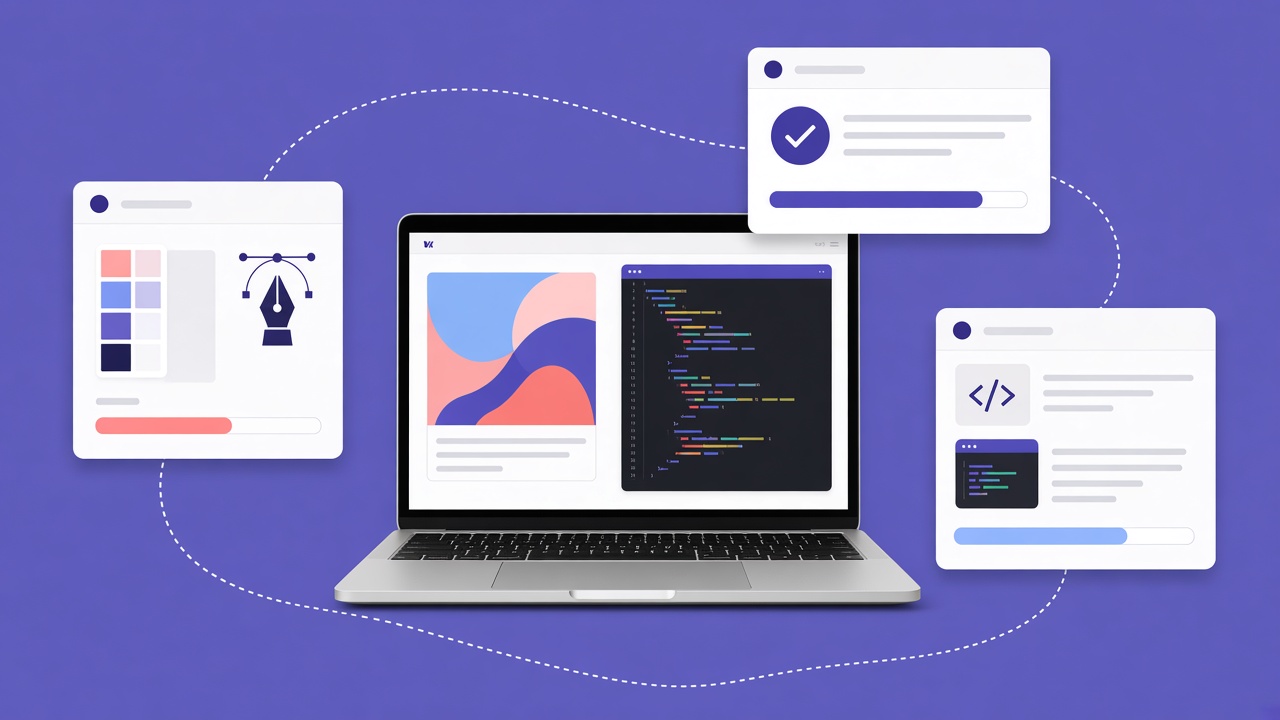
For anyone approaching web development and design, tutorials and practical guides are among the most useful resources for really learning. They turn complex concepts into clear steps, to apply immediately on real projects. When the approach is practical and well structured, what you study does not remain theory: you put it into practice, you consolidate it and you work with more confidence and autonomy.
In this article we look at why tutorials matter, what makes a well-made guide effective and which skills you can develop by following step-by-step paths.
Why tutorials and practical guides are important
Tutorials offer a progressive path: instead of learning in blocks, they accompany you while you build something, solve problems and understand the why of every choice. This method works because:
- it makes understanding simpler: technical concepts are broken into manageable steps
- it leads to active learning: you are not only reading, but doing, trying and correcting
- it trains you on real cases: responsive layouts, forms, login, API integrations
A good tutorial includes a clear goal, indicated prerequisites, commented code and a verifiable result at the end of the path.
What you will find in the Tutorials and practical guides category
The collection covers fundamental topics for developers and designers, with practical and progressive approaches. Here are the main areas.
HTML and CSS: structure and style
You start from the basics: HTML for structure and CSS for style and layout. The tutorials guide you on:
- the creation of a complete, orderly HTML page
- graphic customisation with CSS (colours, fonts, spacing)
- responsive layouts with Flexbox and CSS Grid
- reusable components and CSS variables for scalable projects
JavaScript: interactivity
JavaScript makes a site dynamic. You will learn to create useful interactions such as:
- galleries and interactive components
- form validation to improve the user experience
- fetching data from APIs without reloading the page
- an introduction to frameworks such as React or Vue for structured projects
Backend: the basics of PHP and Node.js
When you need server logic, a database or authentication, the backend tutorials cover:
- management of HTTP requests and routing
- connection to a database and secure queries
- sessions, login and data protection
- REST APIs to connect the frontend and external services
SEO and optimisation
Developing well is not enough if the site cannot be found. The SEO guides teach:
- the structure of titles and essential meta tags
- readable URLs and useful internal links
- performance and Core Web Vitals as a technical base
- useful content oriented towards users’ real questions
How to choose the right tutorial
Before you start, check that the tutorial has a declared level (beginner, intermediate), a concrete final project and recent updates. Avoid guides that skip the fundamentals or promise results in a few minutes without explaining the reasoning behind the code.
A recommended study method
- Read the entire path to understand the final goal
- Follow every step writing the code by hand, not copying in a block
- Change a variable or a value to see what changes
- Complete a small personal variation on the final project
Conclusion
Learning to develop and design step by step is the most effective way to build lasting skills. Well-made tutorials on HTML, CSS, JavaScript, PHP, Node.js and SEO accompany you from theory to practice, up to projects that you can show in the portfolio and use at work.
Practical projects to build step by step
To consolidate the skills, alternate guided tutorials with autonomous mini-projects. Useful examples for the portfolio:
- a responsive landing page for a local service
- a product sheet with an image gallery and a contact form
- a simple blog with articles and categories
- a login area with PHP or Node.js and a database
Every project should have a clear goal, orderly code and a short note that explains what you learned and what you would improve.
SEO and performance in the tutorials
An effective project must not only be beautiful, but also fast and visible on search engines. The practical guides on SEO and performance teach:
- optimisation of images and resources to reduce load times
- correct use of tags and HTML structure for more solid SEO
- caching and technical measures to improve the speed of the site
Common questions about tutorials and practical guides
What is the first step for anyone starting out? Start from HTML and CSS. When you have a clear idea of how a page is built and laid out, moving on to JavaScript becomes much more natural. From there you can explore the backend and have a complete view of web development.
How long does it take to complete a tutorial? It depends on the level and on how much you experiment. Some close in a few hours, others require days. The best approach is one step at a time, really trying every part.
How do you choose the right tutorial? Check requirements, goals and the update date. Choose guides suited to your level: whether you are starting or want to go deeper on a specific topic.
The Tutorials and practical guides category is born to give you concrete tools, not only theory. By following well-built paths you learn to reason like a developer or a designer and you create real projects to put in the portfolio.
Semantic HTML: why it matters
Using correct tags (header, nav, main, article, footer) improves accessibility, SEO and maintenance. A div for everything works visually, but makes it harder for screen readers and search engines to understand the structure. In the markup tutorials you will learn to build pages that make sense even without a stylesheet.
Advanced CSS without a framework
Before you rely on Bootstrap or Tailwind, master Flexbox, Grid, CSS variables and media queries. Understanding how native layout works lets you use frameworks as accelerators, not as blind shortcuts. Typical exercises: a responsive card grid, a collapsible navbar, a form with two columns on desktop and one on mobile.
Modular JavaScript
Organise the script in ES6 modules, separate UI logic from API calls, handle network errors with messages understandable for the user. Useful patterns: debounce on live searches, form validation with immediate feedback, lazy load of images below the fold.
PHP and Node.js compared
PHP remains very present on shared hosting and CMS such as WordPress; Node.js excels on real-time APIs and an end-to-end JavaScript stack. The backend tutorials show you both with concrete examples: CRUD on a database, a secure file upload, transactional email sending.
Building a portfolio from tutorials
Do not limit yourself to cloning exercises: personalise colours, copy and one extra feature. On GitHub publish a readme with screenshots, the stack and a demo link. A recruiter or a client values the ability to finish more than the number of certificates.
Node.js: modern servers and APIs
Tutorials on Express or Fastify show routing, middleware, CORS management and a connection to MongoDB or PostgreSQL. You will learn to expose REST endpoints, validate JSON payloads and return correct HTTP codes. Useful for SPAs, companion mobile apps and integrations with third-party services.
WordPress and a CMS when they are needed
Not everything should be custom: for company blogs or editorial sites WordPress with a personalised child theme can be the right choice. Guides on the template hierarchy, hooks and custom post types let you extend without breaking core updates.
Debugging: a habit from tutorials
Every guide should teach you to read errors in the console and in the server log, use breakpoints, inspect the network. Developing the debugging habit reduces dependence on copy-paste and accelerates autonomy.
Community and continuous updating
Forums, Discord, local meetups and open source on GitHub complete the tutorials. Share doubts, read other people’s code, contribute with small fixes. The web sector changes quickly: constant curiosity matters as much as the first course.